BW/BW2 Static Manip
Overview
This Guide will teach you how to RNG manipulate Static Encounters in Pokémon Black, White, Black 2 and White 2 to get them as shiny, with perfect IVs or both combined. To be able to RNG manipulate anything in these games, you need to have done Profile Calibration already. If you wish to get a shiny this way, you will also need to know your Trainer ID and Secret ID. I will use my English copy of Pokémon Black 2 for this guide, though the process is the same across all languages.
Static Encounters are divided into 3 different subcategories of encounter types in Stationaries, Gifts and Roamers.
Stationary encounters are all those that you need to press a button for to start a battle with them such as Cobalion or Kyurem. For most of these you just stand in front of the Pokémon and press the A button to start the battle. In PokeFinder’s Static window this includes the “Stationary”, “Legends” and “Events” categories (Events being for BW1 only; also not to be confused with the Events tab in PokeFinder's main menu; that one is for Mystery Gifts which work differently compared to Statics).
Gift encounters are all those that you get given to you without having to battle them such as the Fossils or the Magikarp that you can buy for 500 Pokédollars from the salesman on Marvelous Bridge. In PokeFinder’s Static window this includes the “Starters”, “Fossils”, “Gifts”, "Curtis" and "Yancy" categories (Curtis and Yancy being BW2 exclusive), though we have separate guides for BW1 Starter RNG and BW2 Starter RNG, as that early on in your adventure you lack most of the tools that we’ll use later on in this guide. Due to that, they will not be mentioned again here despite technically being Gift encounters. Additionally, unlike all other Pokémon you get given as Gifts in these games, the Zorua you get from Rood of the Seven Sages in BW2's Driftveil City cannot be RNGd, as everything about it is set and always the same (same IVs, Nature, gender and never shiny).
Finally there’s the Roamers, which in Gen 5 includes only Tornadus and Thundurus in BW1. Roamer RNG is VERY different and can be far more complex compared to Stationary or Gift RNG so there will be a separate guide for that in the future.
Stationary and Gift RNG are largely the same, which is why they’re both part of this guide instead of having 2 separate ones. The primary difference is that Stationaries you have to battle and catch yourself whilst Gifts are just given to you. They also generate a bit differently via the RNG algorithm so whilst you could e.g. use the exact same target Seed to get yourself a shiny Cobalion, Virizion and Terrakion, you cannot use that same Seed to get a shiny Magikarp from the Bridge salesman as it is a Gift encounter (most often; in some cases it may work out fine but don't expect it to always work).
Recommended setup
Hardware requirements
-
A Gen 5 Pokémon game and any model DS Console you have calibrated for Gen 5 RNG Manipulation.
-
a Windows 10/11 PC, MacOS Ventura/Sonoma/Sequoia, Ubuntu 22.04/24.04 or QT 6.8 or newer
In-Game requirements
-
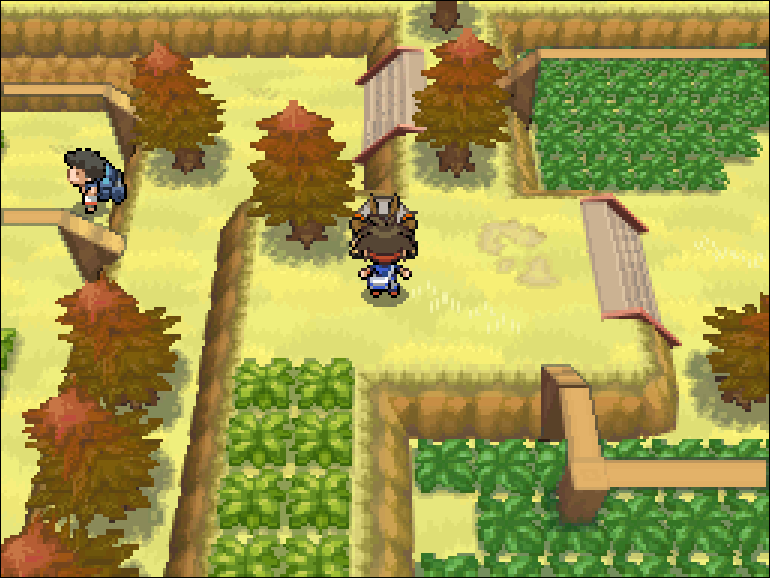
Be saved in front of the Pokémon or the NPC that gives you the Pokémon that you wish to RNG manipulate facing that Pokémon/NPC
-
If your target is a Stationary encounter, not a Gift, make sure the Pokémon in the first slot of your party does not have any of the following abilities:
Arena Trap, Compound Eyes, Cute Charm, Illuminate, No Guard, Quick Feet, Stench, Sticky Hold, Suction Cups, Synchronize or White Smoke.
These abilities all affect how Stationary encounters generate and can throw off your RNG. A Synchronize lead specifically may be beneficial later, but we'll get to that if needed.
The following are not mandatory, but will make this a lot easier and faster:
-
Have a free slot in your party to quicker confirm whether you hit your target or not later, instead of having to run to a Pokémon Center.
-
If you’re going for a Stationary encounter, have a Master Ball in your bag. This will make checking what you hit whenever it’s not shiny significantly faster.
Also check whether or not you have enough of whatever Poké Ball type you want to later catch the Pokémon in, and possibly have a sleep inducing move and false swipe on a Pokémon in your party. -
Having a few Rare Candies can also be helpful for figuring out what's wrong if you cannot seem to get the shiny.
-
If your goal is to get a shiny with specific IVs and Nature, have at least 1, but preferably 2 Chatot in your party that you recorded a custom Chatter sound onto. This does NOT matter if you just want a quick shiny with random IVs.
Note: How to get and prepare Chatot for RNG Manipulation
You can get Chatot via e.g. catching some in the Route 18 Hidden Grotto
if you’re playing BW2, by trading online or
by importing them into your Entree Forest using the program
Entralinked
(the latter will only be legal for BW1 players as Chatot was not available
for BW2 games via the Dreamworld).
Not having Chatot will either severely restrict the Pokémon you can go
for or make the RNG very inconsistent and tedious; but it is still
possible. I do not recommend to go for shiny + IVs without Chatot, but
if you must, there will be an explanation of how to advance the RNG forward
using saving the game instead of Chatot later on in the "The RNG Process"
section.
You will also have to use Chatter as a field move and then record a custom
sound onto it (Chatot learns Chatter at level 21).
I recommend you try to either shout AAAAAAAAAAA into the DS microphone in
as monotone, medium pitched and medium volume of a voice as you can muster
or, what I personally don't like as much but is used by quite a few people,
play the sound of this
Youtube Video
into your DS mic.
The Chatter will be shared by all your Chatot, so if you
try to record a Chatter for another Chatot it'll simply overwrite your first
Chatter. Whenever you deposit the last Chatot from your party into your
boxes, the Chatter recording is deleted.
Having a clear Chatter will be important later for tracking the current
RNG state.
- A Pokémon with the ability Synchronize and the Nature you want the target Pokémon to have. ONLY useful if you're going for specific IVs and shiny at the same time, not only shiny or only IVs.
Tools used
-
PokéFinder version 4.3.1 or newer
Pro tip: You can change the language of PokeFinder under "Tools" -> "Settings" to fit your game's language. This will change the names of the Pokémon, locations, Characteristics and Natures to be that of the game's language, which may be helpful later. For some languages, UI elements are also translated (e.g. in German and Italian), but not for all (e.g. Japanese and Korean don't have full UI translation).
-
There is also a web version of EonTimer. The UI is different than what this guide uses though, so you'll have to make that adjustment yourself if you wish to use this web version instead of the downloadable app.
Video example
- None yet
The Guide
Understanding the mechanics of Gen 5 RNG
To determine everything random that happens in Gen 5, the games generate what we call the "Initial Seed" when booting them up from the home menu. The initial Seed is a 64-bit hexadecimal number (so a 16-digit long hex number e.g. 6A513E0B204DA507) that is determined by a combination of the DS console's current date & time down to the second, the consoles MAC address, any buttons that are being held down whilst the game is starting up and the VCount, Timer0, GxStat and VFrame values you already found during calibration.
On this Initial Seed there are what we call "RNG Advances" or just "Advances" (in some older guides also called "Frames" though that's a rather inaccurate word to describe them) and they contain the information for what randomized actions should happen when the RNG is currently on the respective Advance (e.g. whether a Pokémon you encounter on an Advance is shiny or not).
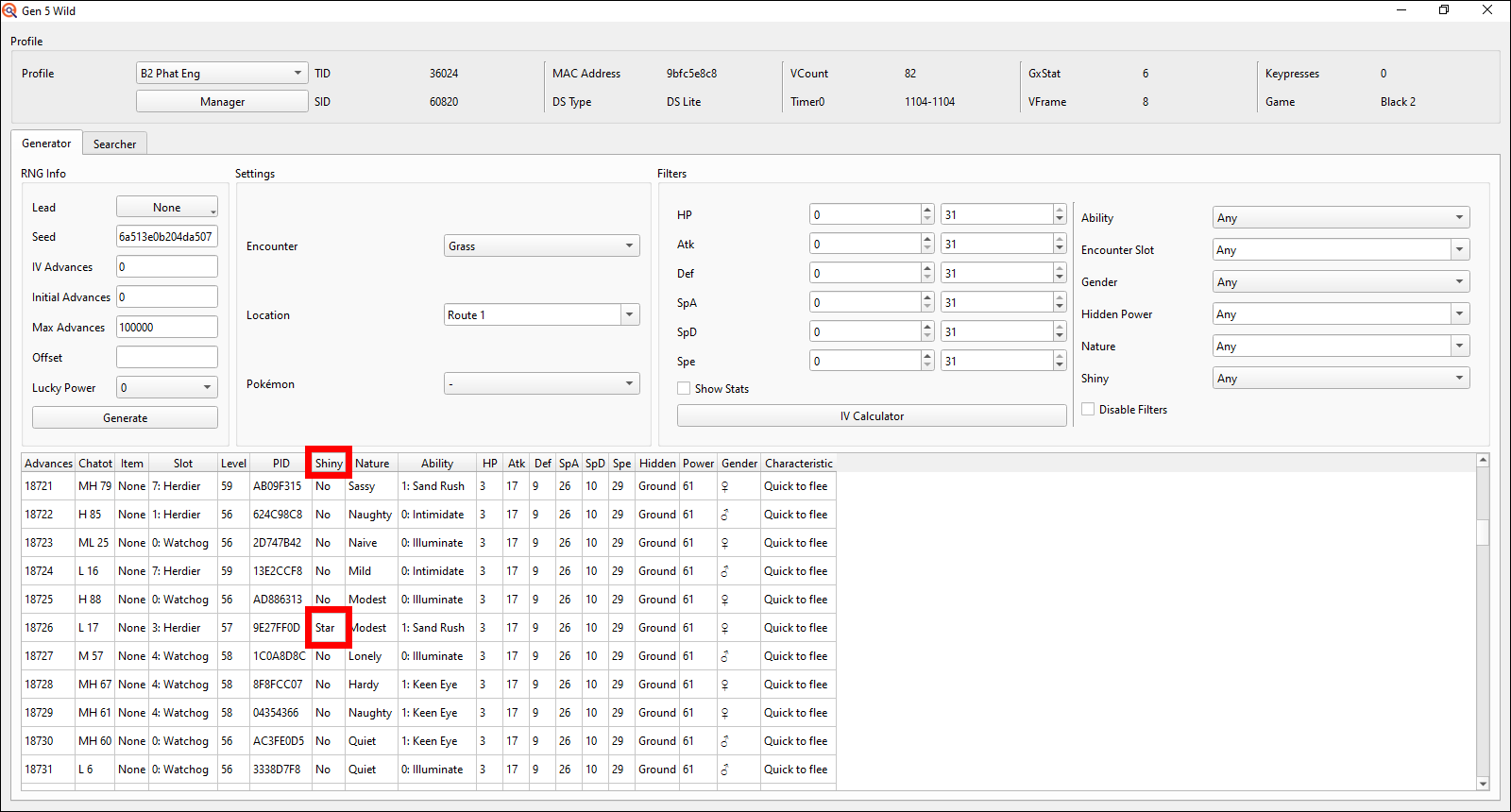
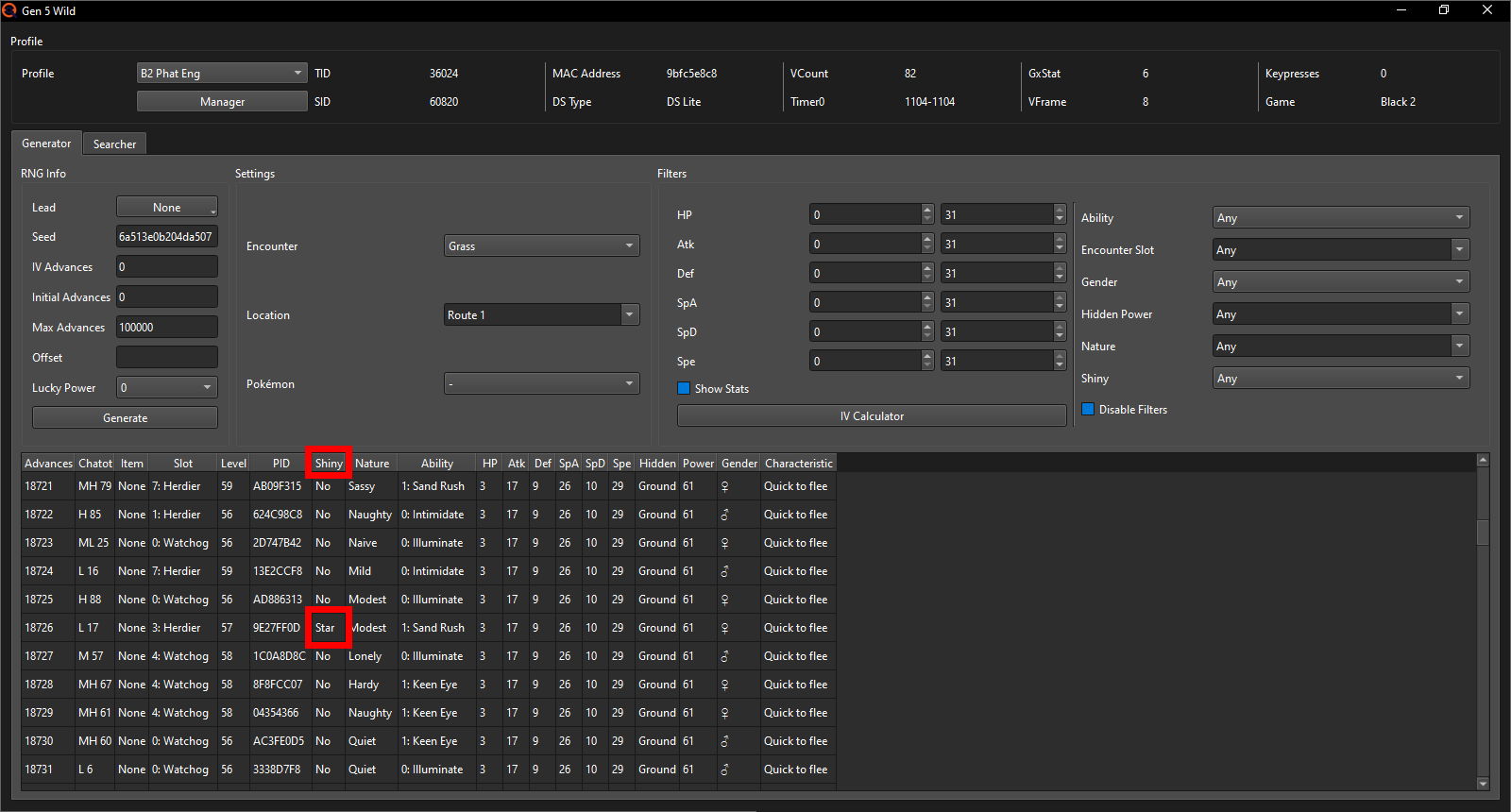
In many other Generations, such as Gens 3, 6 or 7, the Advances constantly move from one to the next at varying speeds, though generally close to 60 Advances per second. In Gen 5 however (and Gen 4), the RNG only moves forward whenever something random actually needs to happen. This makes manipulating the current "RNG state" (so what Advance we're on) fairly easy as we have a lot of control over it.
Generation 5 uses 2 completely separate RNG algorithms derived from the Initial Seed to each decide some of the random things that happen in the game:
The first of the two, commonly referred to as the PIDrng, controls
the "regular" Advances. These Advances decide a wild Pokémon's encounter
slot (so which species of the on a Route available ones you'll battle when
walking through grass), its Nature, ability, gender, PID (which decides shininess)
and whether it's holding an item or not.
This PIDrng algorithm is also used by several other things in the game to
determine their random patterns, which also means it is advanced whenever
those need to perform a randomized action. Notably this includes
the movement of randomly moving NPCs, Rain/Snow/Hail/Sandstorm
patterns, the game deciding whether you should trigger a wild encounter
when walking through Tall Grass (/Caveground/Surfing on water etc.), what
position the clock's needle should start in when saving the game and
how high of a pitch a custom recorded Chatter should have each time you
view the summary of a Chatot (among many other more minor things).
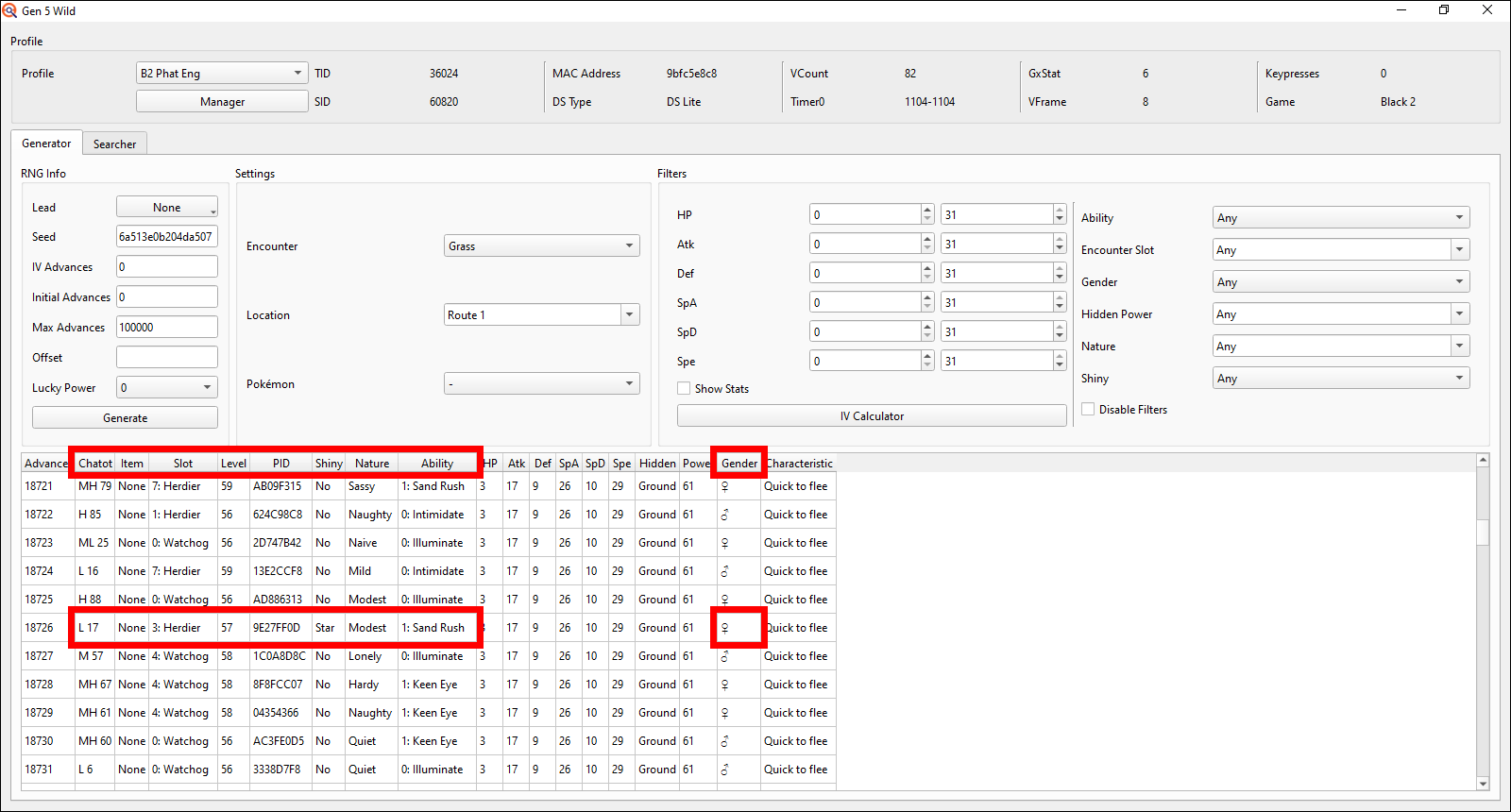
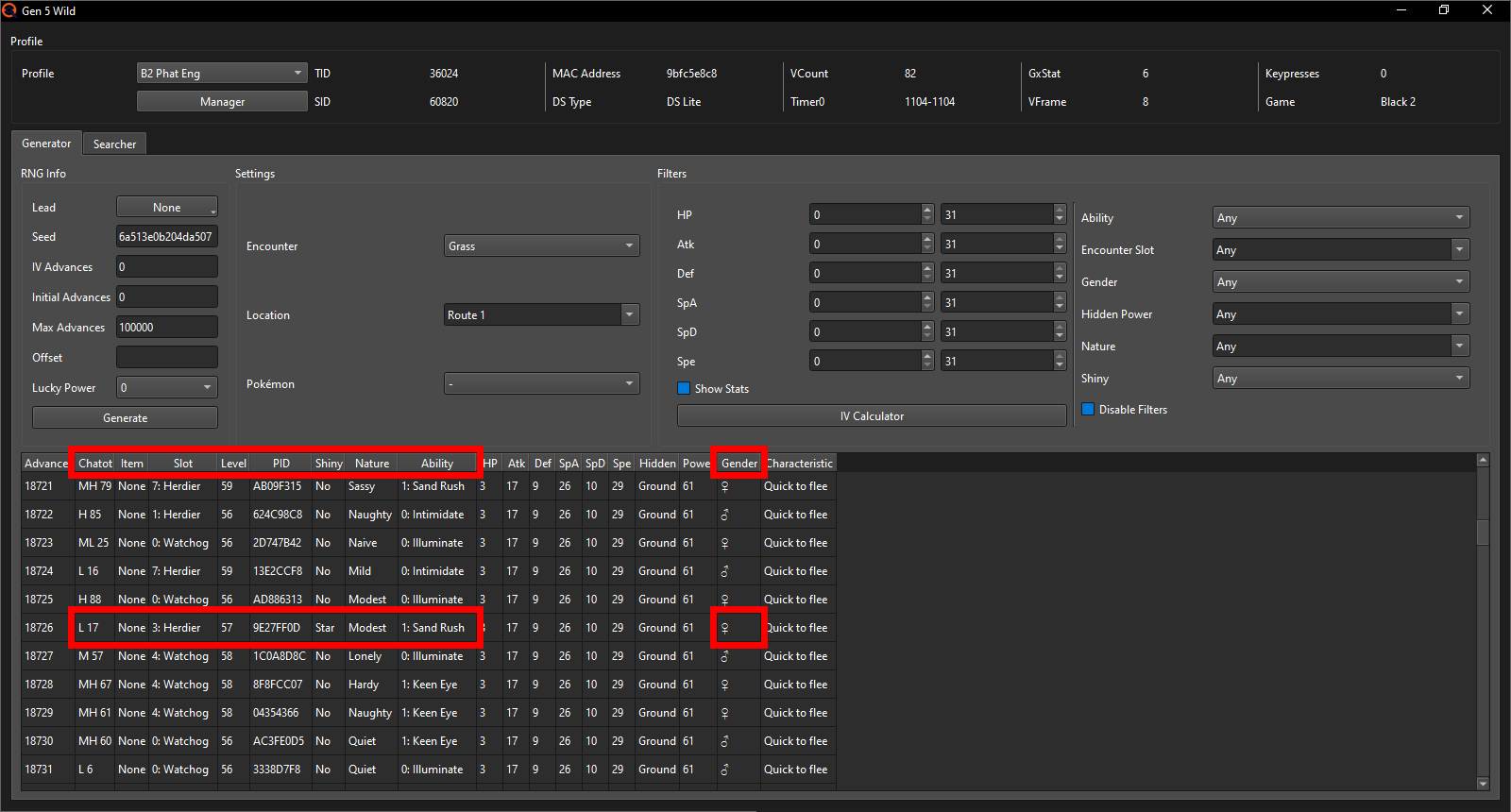
The second RNG algorithm, commonly referred to as the IVrng, is used for far fewer things however. It mainly controls what IVs (and with that the Hidden Power type and base power, since that's fully dependent on IVs) a Pokémon you encounter will have. It also controls the friendship step counter, which activates every 128 steps and has a 50/50 chance to increase each party member's friendship by 1, whether a Pokémon gets Pokerus after a battle and ALL the randomized actions inside a battle, including whether a Focus Blast hits or misses or whether a Flamethrower gets a burn on the opposing Pokémon. Due to it controlling all random actions in battles, it was made to advance at 60 Advances per second for each Pokémon active on the field to make it harder to manipulate the luck in battles.
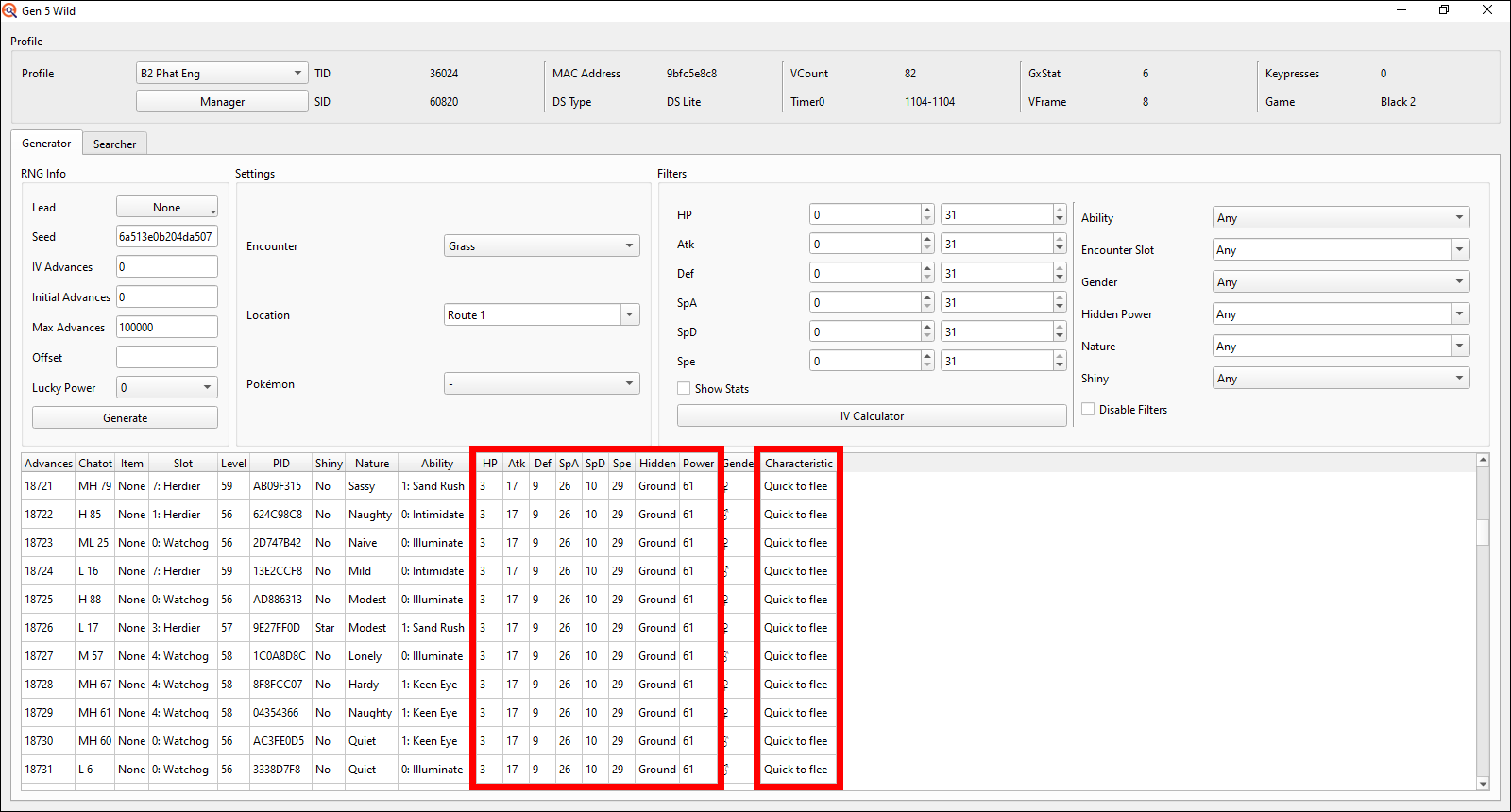
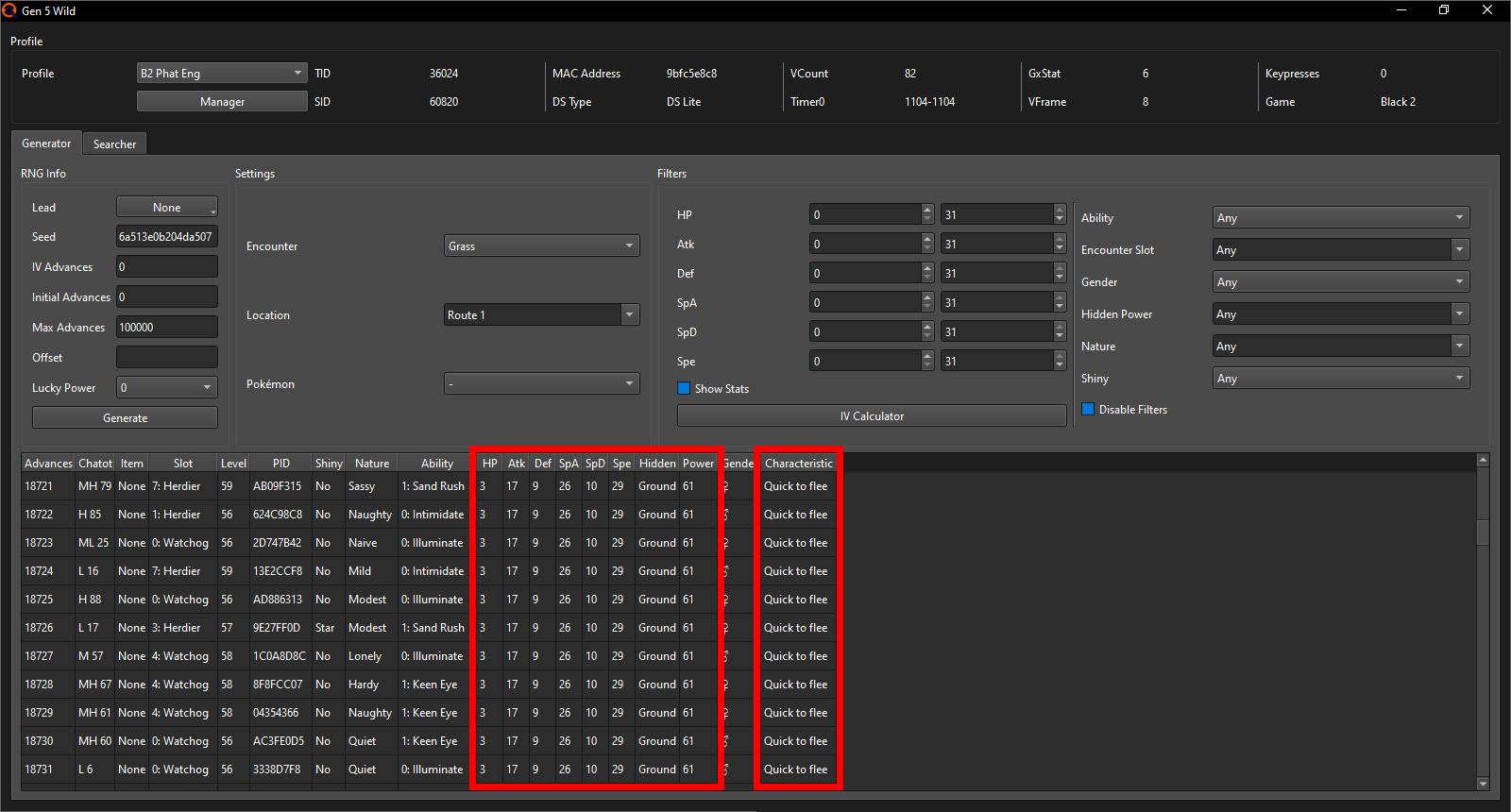
The two RNG algorithms being separate also means that, whilst one of the two can move by hundreds or even thousands of Advances, the other can remain at the exact same Advance throughout it all, which is why in these pictures you see the parts controlled by the PIDrng changing with each Advance, whilst the parts controlled by the IVrng remain the exact same. Due to the lack of good and reliable tools for advancing the IVrng, you will later see us always searching for an IVrng Advance of 0 and only ever adjusting the PIDrng Advances since those can easily be advanced via e.g. Chatot.
As a side note, the C-Gear is a bit of an odd case here, as it Advances both the PIDrng AND the IVrng whenever it's active. Make sure to always deactivate it when prompted upon loading your save file whilst doing RNG Manipulation.
Pick your target Pokémon
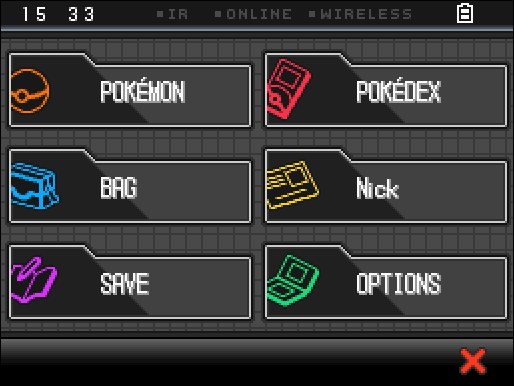
Of course you have to know what Pokémon you want to RNG for. If this is your first Gen 5 RNG, outside of maybe TID/SID and Starter RNG, I recommend you go for a target in an area without any “RNG noise” such as randomly moving NPCs (abbreviated as "RMNPCs" for the remainder of this guide) or weather. This is because RMNPCs can advance the RNG by varying amounts, whilst weather will advance the RNG by a large chunk just before you can start the battle with a Stationary/talk to an NPC to receive a Gift Pokémon making the RNG more annoying and difficult. RMNPCs use the PIDrng algorithm to determine their movement. They can only move and thus advance whilst you're standing or running around in the overworld, but they cannot move whilst you're in e.g. the menu selection screen, the party screen or any other submenu.
Should you have already battled and killed (not caught) any of the Stationary
encounters, you can simply beat the Champion and they will respawn in their
original location after.
In Gen 5, they unfortunately started to shiny lock some of the available Static
encounters, so that’s something to keep in mind as well (you can still RNG those
for perfect IVs + specific Nature and sometimes gender).
Following is a dropdown selector that will display important information for whichever Pokémon you choose. It includes their location, encounter type, whether they’re shiny locked or not, how many RMNPCs are loaded in and any additional information you may need. There is also a location type for every Static encounter that has RMNPCs nearby (sometimes 2 due to me combining some Foongus and Amoongus that are on the same route into 1 table entry). The location type can help you determine the exact odds for each possible Advance amount the RMNPCs can cause with the help of this Google Sheet. This is NOT required and generally won’t be of too much help, but if you’re curious to learn how RMNPCs work exactly on a more technical level, you can check it out.
Select the Game version you're playing and the Pokémon you wish to RNG for. Depending on the encounter type of the Pokémon you choose (Stationary vs Gift), the "Finding a target Seed" section of this guide will be different to accurately reflect noteworthy differences between Stationary and Gift RNG, as the largest difference between the two is how to best set up your searcher tab (outside of having to battle one but not the other).
Pokémon selector
The dropdown is sorted by National Pokédex number descending but with the Fossils up first and in BW2 only the Yancy/Curtis trades right after as larger grouped entries.
I will go for Terrakion; it's a Stationary that has 1 randomly moving NPC near it in BW2, so I'll have to account for the RMNPC later.
Note: Weather at Darmanitan, Foongus and Braviary
In BW1 only, you can remove any weather, such as the Desert Resorts
permanent Sandstorm when going for Darmanitan, using this
trick.
The rain on Route 6 in both BW1 and BW2 depends on the system date
when entering the route; it rains during Spring and Autumn on the
following dates: 4-5, 12-13, 20-21 and 28-29. To get rid of the Rain,
simply load the game on a date it does not rain on, go through a
loading zone (e.g. enter a house or cave), go back to Route 6 and save
the game there. Now, even if you load up the game on a usually rainy
date, it will not start raining unless you reload the area or after you
have battled a Pokémon.
For the Braviary on W2’s Route 4 there is also permanent, not removable
Sandstorm active that will advance the RNG very fast (at 60 Advances per
second) whilst you’re in the overworld and even when the menu selection is up.
Once you go to the party menu, these advances stop, so it’s primarily a
problem in the menu selection but will also add a LOT of Advances when
you're exiting the menu to start the battle with it. There will be notes
later explaining this in more detail should you want to go for Braviary.
Finding a target Seed
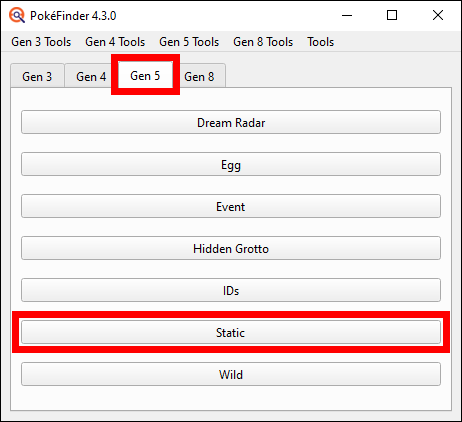
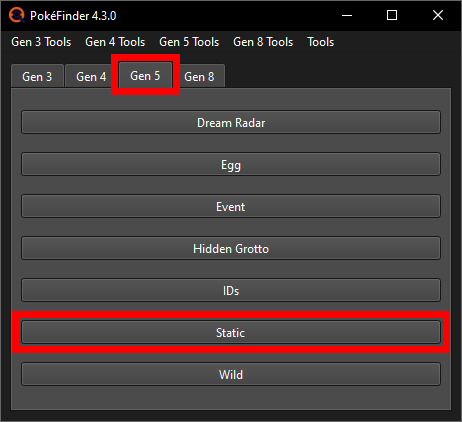
Start by opening up PokeFinder, going to the Gen 5 tab and once there opening the Static option.
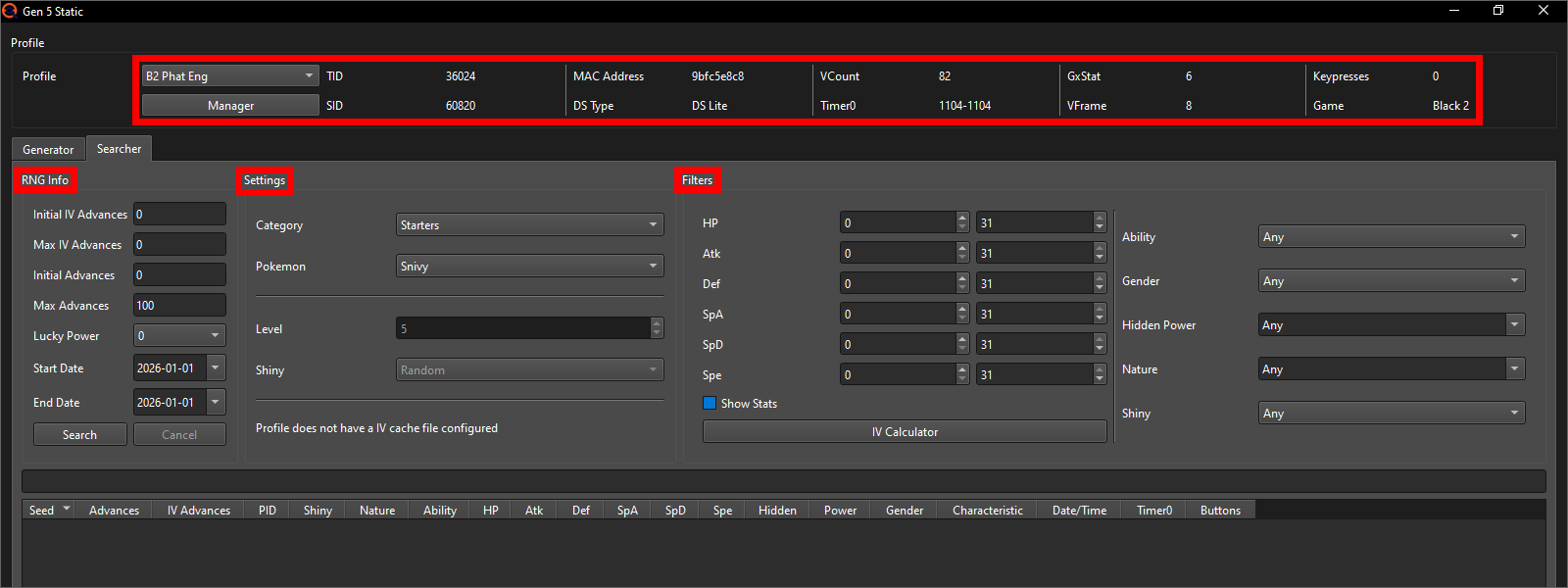
In the Gen 5 Static window's top left make sure the Profile of the game you wish to do this in is selected and right below the Profile option switch to the Searcher tab in which there are 3 different sections labeled “RNG Info”, “Settings” and “Filters”.
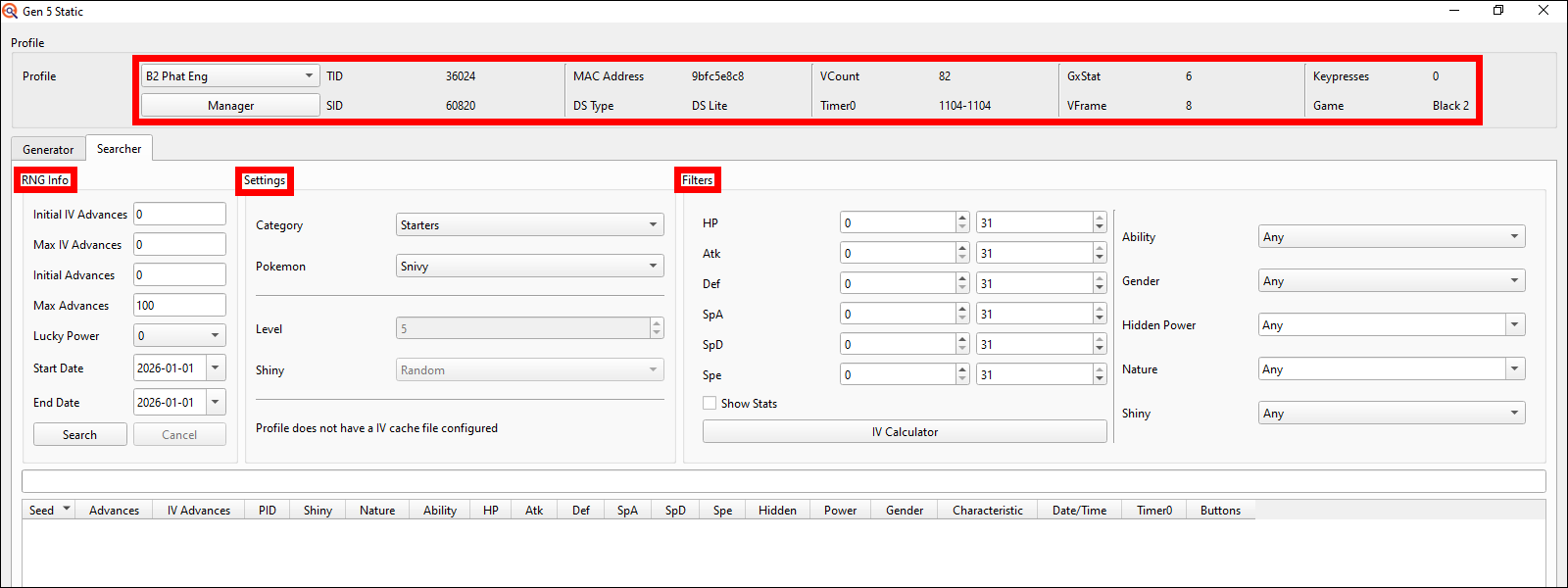
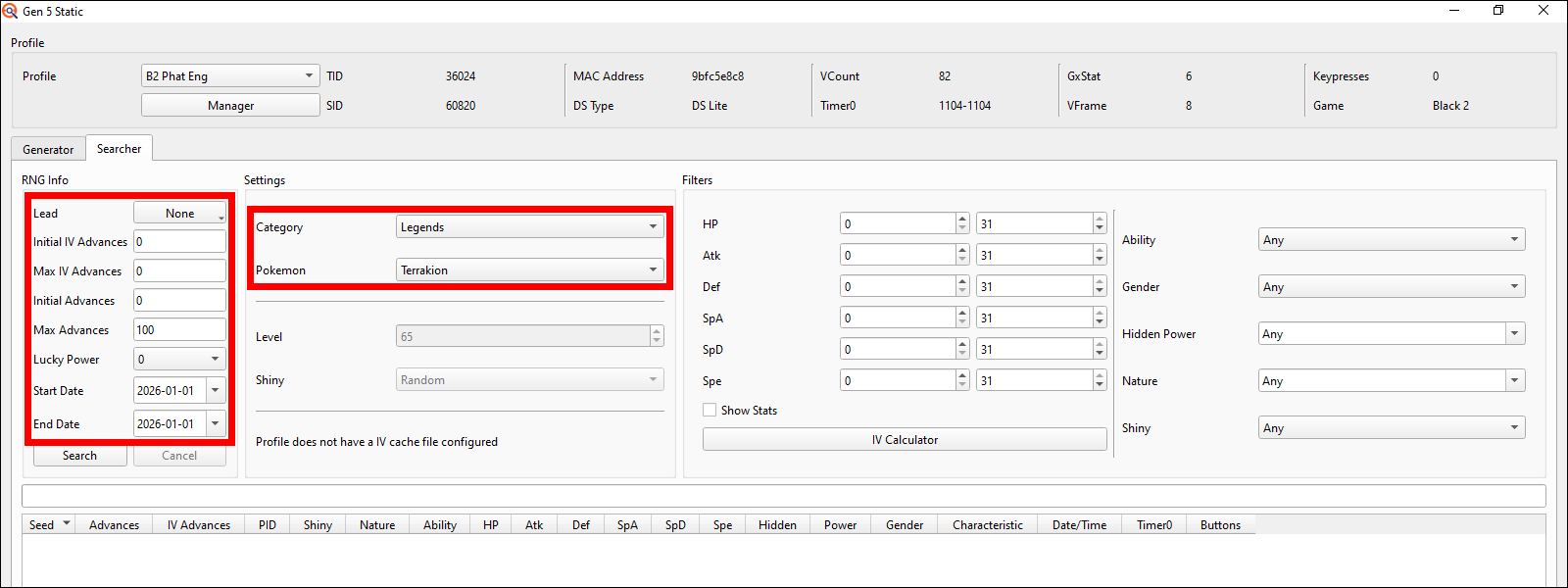
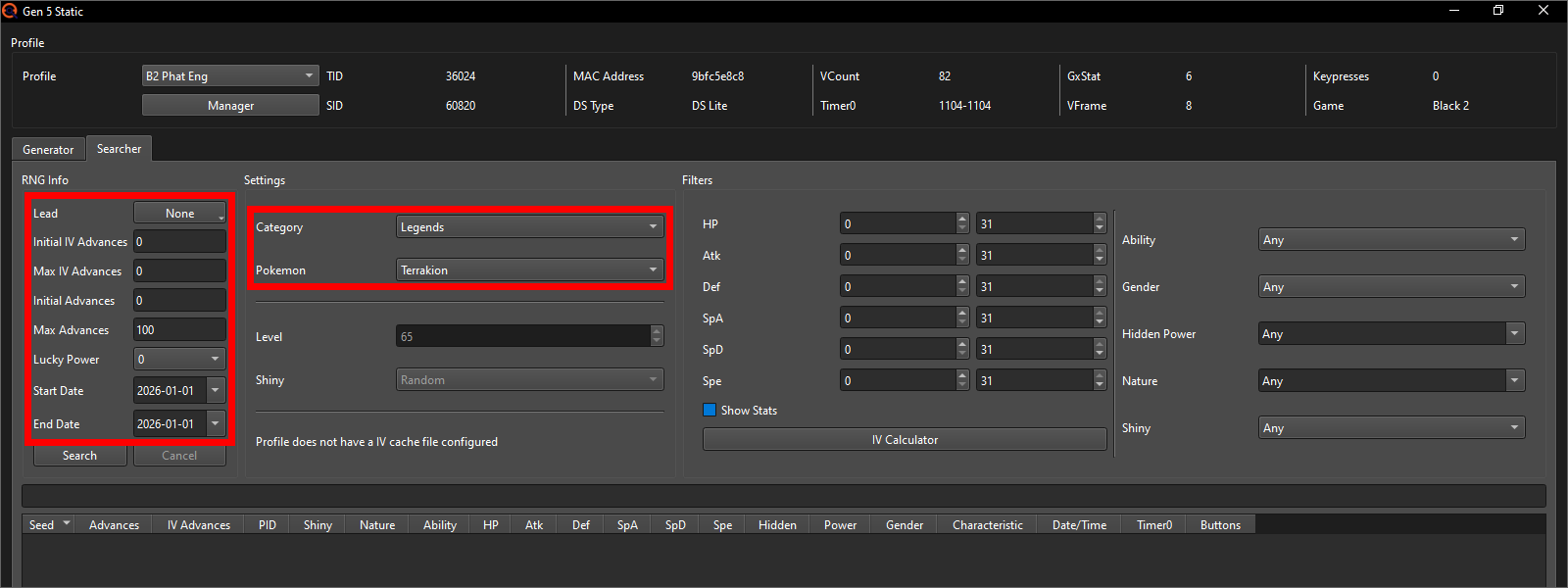
In the RNG Info section, leave the Initial IV Advances, Max IV Advances
and Lucky Power all at 0. The Initial Advances, Max Advances and date
range depend on whether there’s any RMNPCs in the area the Pokémon is in
and whether you care about getting just a shiny, just specific IVs or both
at the same time.
You can also already select the Category and the Pokémon of that Category
you wish to RNG for in the Settings section. In my case, since I'm going
for Terrakion, I'll select the Legends Category and then pick Terrakion.
Following is a table with recommended settings for the Searcher tab and your
Profile that aim to strike a reasonable balance between Max Advances, the
date range and Keypresses.
Recommended settings
The RMNPC Count and corresponding Initial Advances are the exact same for all the options other than the "raw" shiny option, hence why they're in larger cells spanning across the different options below the "raw" shiny.
| Gift | RMNPC Count | Initial Advances | Max Advances | Minimum date range | Keypresses in Profile |
|---|---|---|---|---|---|
| Shiny | 0 | 0 | 0 | 1 Day | 0 |
| 1 | 2 | ||||
| 2 | 4 | ||||
| 3 | 6 | ||||
| 5 | 12 | ||||
| 6 | 14 | ||||
| Shiny & Nature |
0
1–3
4+
|
0
20
30
|
10 | 1 Day | 0 |
| 1/2 IV & Nature | 10 | 1 Day | 0 | ||
| 5 IV & Nature | 25 | 1 Month | 0, 1, 2 | ||
| 6 IV & Nature | 25 | 6 Months | 0, 1, 2 | ||
| Shiny, 1/2 IV & Nature | 100 | 1 Week | 0, 1, 2 | ||
| Shiny, 5 IV & Nature | 500 | 1 Year | 0, 1, 2, 3, 4 | ||
| Shiny, 6 IV & Nature | 1000 | 5 Years | 0, 1, 2, 3, 4, 5 | ||
| Stationary | RMNPC Count | Initial Advances | Max Advances | Minimum date range | Keypresses in Profile | Sync lead |
|---|---|---|---|---|---|---|
| Shiny | 0 | 0 | 0 | 1 Day | 0 | No |
| 1 | 2 | |||||
| 2 | 4 | |||||
| 3 | 6 | |||||
| 5 | 12 | |||||
| 6 | 14 | |||||
| Shiny & Nature |
0
1–3
4+
|
0
20
30
|
10 | 1 Day | 0 | No |
| 1/2 IV & Nature | 10 | 1 Day | 0 | No | ||
| 5 IV & Nature | 25 | 1 Month | 0, 1, 2 | No | ||
| 6 IV & Nature | 25 | 6 Months | 0, 1, 2 | No | ||
| Shiny, 1/2 IV & Nature | 100 | 1 Week | 0, 1, 2 | No | ||
| Shiny, 5 IV & Nature | 500 | 1 Year | 0, 1, 2, 3 | Yes | ||
| Shiny, 6 IV & Nature | 1000 | 1 Year | 0, 1, 2, 3, 4, 5 | Yes | ||
Note: Read this if your target is Braviary in W2
If your target is Braviary, add +244 to the "Initial Advances" of the basic shiny option. If you're going for anything else (shiny & Nature or anything with specific IVs), add +450 to the "Initial Advances" instead. This is due to the Sandstorm advancing the RNG by a LOT whilst you're seeing the season fade-in screen (232 at minimum), and then again when you're starting the encounter (185 at minimum; together with the the 232 this would only equal 417, but I'd recommend to give yourself some extra space to figure out the Advance you're on in between. So 450 is just more comfortable).
The Gender of the Pokémon you're going for you can also always easily RNG for if you want to, assuming its not genderless or locked into only being male or only being female. I did not add it to the table because it would've made it look a lot more cluttered.
This guide will show you the RNG Process for 2 different possible target variations:
-
How to get a quick shiny.
This option will just explain how you can get a simple shiny quickly without having to learn the full process including Chatot and more. This will only work if you searched with Max Advances of 0. -
How to get a shiny with 5 or 6 perfect IVs + a specific Nature (+possibly gender where applicable).
Here you'll learn the full RNG process, so you'll be able to get any combination of shiny + IVs + Nature + gender you desire.
If this is your first Static RNG, I'd recommend to go for just a shiny. If you do not know your SID, you can go for 5 perfect IVs + a specific Nature instead.
If this is not your first RNG or you're ignoring my recommendation
and you are going for the combination of shiny & 5/6 IV however, there's
another important thing to note and that is about Lead Abilities. Some
Pokémon's abilities have out of battle effects that affect how Wild
and Stationary encounters generate. PokeFinder lets you search for
potential target Seeds with a selected Lead Ability.
The primary one we care about is Synchronize as it affects all Stationary
encounters and can make finding a target Seed (assuming you’re looking
for a specific Nature) much faster. Unfortunately Lead Abilities do not
have any effect on Gift encounters, so to get a similar amount of results
for Gifts compared to Stationary + Synchronize lead, you need to
have much larger search ranges.
There is also Cute Charm which can give you additional results if your target can be both male and female; so genderless (e.g. Terrakion), always male (e.g. Braviary) or always female (e.g. Mandibuzz) Pokémon, Cute Charm will NOT work on. Unless you want a specific IV shiny on a fairly specific date, it's generally not worth trying to find a target Seed using the Cute Charm lead in my opinion.
If your goal is to only get 5/6 IVs + Nature (+possibly gender) but NOT a
shiny, you can just follow theshiny, IVs & Nature process. I will explain
the difference between going for a shiny and not going for a shiny there.
Quick shiny or with IVs?
Select the tab fitting the kind of Pokémon you want to RNG for. Your choice will adjust the remainder of this "Finding a target Seed" and the full "The RNG Process" and "Troubleshooting" sections to best instruct you on how to get the kind of Pokémon you want.
For the Keypresses I'll have enabled in my Profile, the Initial Advances, the Max Advances and the date range I'll refer to the table with the recommended searcher settings.
Note: How to change Keypresses
In the Static window click on the Manager button in the top left and the Profile Manager will open. Select the Profile of the game you're RNGing in and click on the Edit button at the top to open the Profile Editor. Here you can change the active Keypresses. Make sure to click the Accept button after to save your changes.
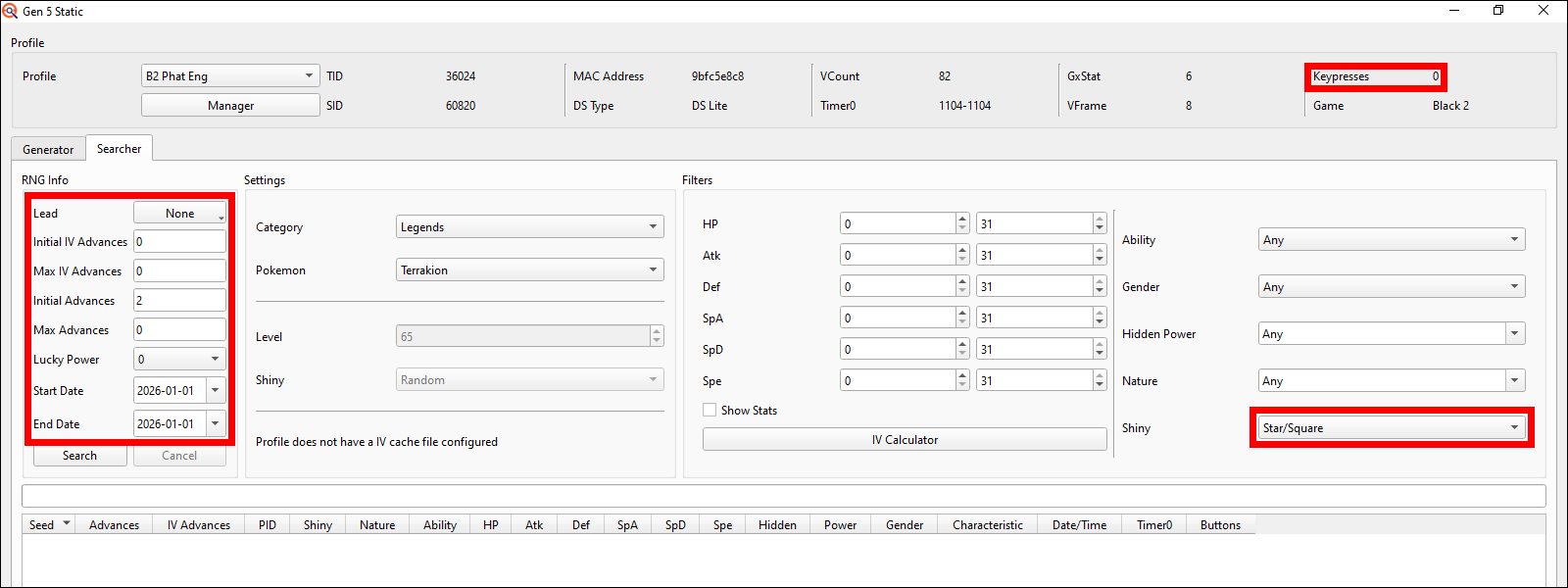
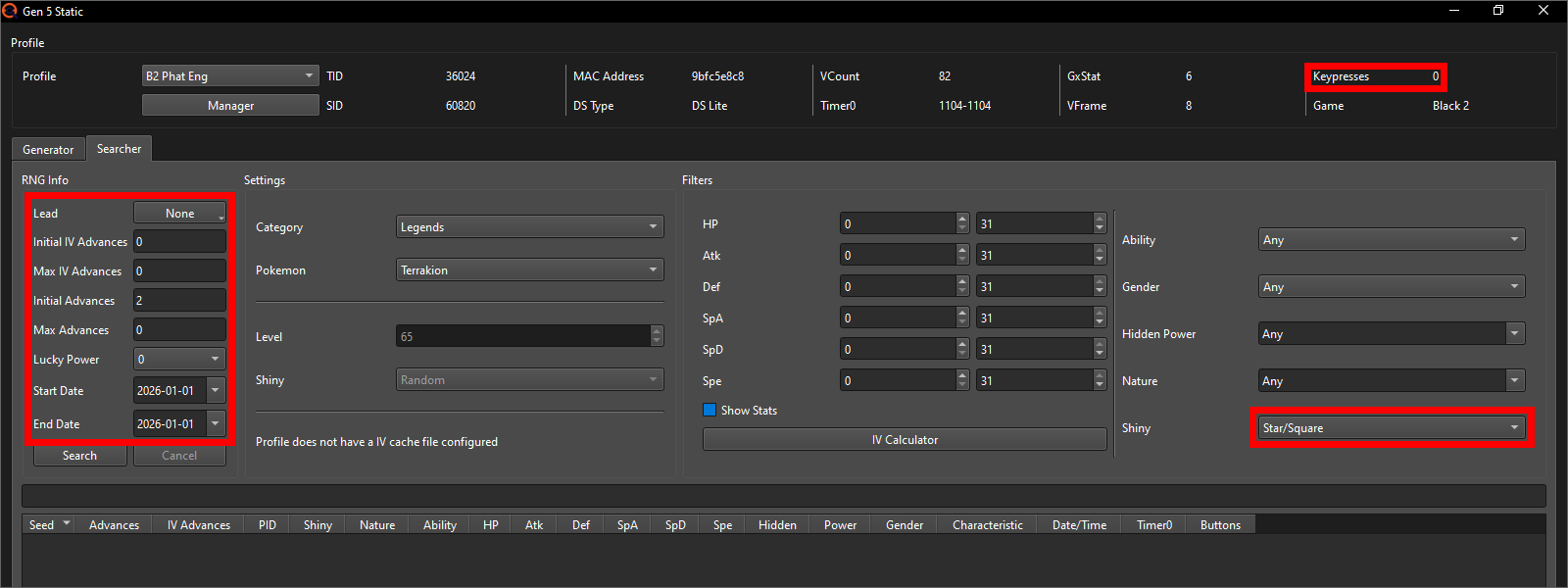
Since I'm just trying to get a quick shiny in an area with 1 randomly moving NPC I now set the Keypresses to only be 0, the Initial Advances to 2, the Max Advances to 0 and the date range to be just one day that being the 1st of January 2026 just because that's the day I'm writing this part of the guide on. Adjust the Initial Advances according to your target's RMNPC count, if it's not 1 like in my example, and pick whatever date you want to have as the Met Date for this Pokémon later. Lastly set theshiny option to "Star/Square" for the most possible results.
Note: What are Star and Square shinies?
Star and Square shinies are ONLY differentiated in Pokémon Sword and Shield specifically by having different shiny sparkles when sent out into battle. If you either don't plan to transfer this Pokémon at all or intend to transfer it to literally any other game (all of Gens 6, 7 and 9 + BDSP, Legends: Arceus and Legends: Z-A), this difference does not exist.
Now you can hit the Search button and let PokeFinder search for potential targets. Should you get no results at all, make sure you didn't accidentally input any filters for IVs or Nature. If there's still no results at all, try changing your date range to a different day.
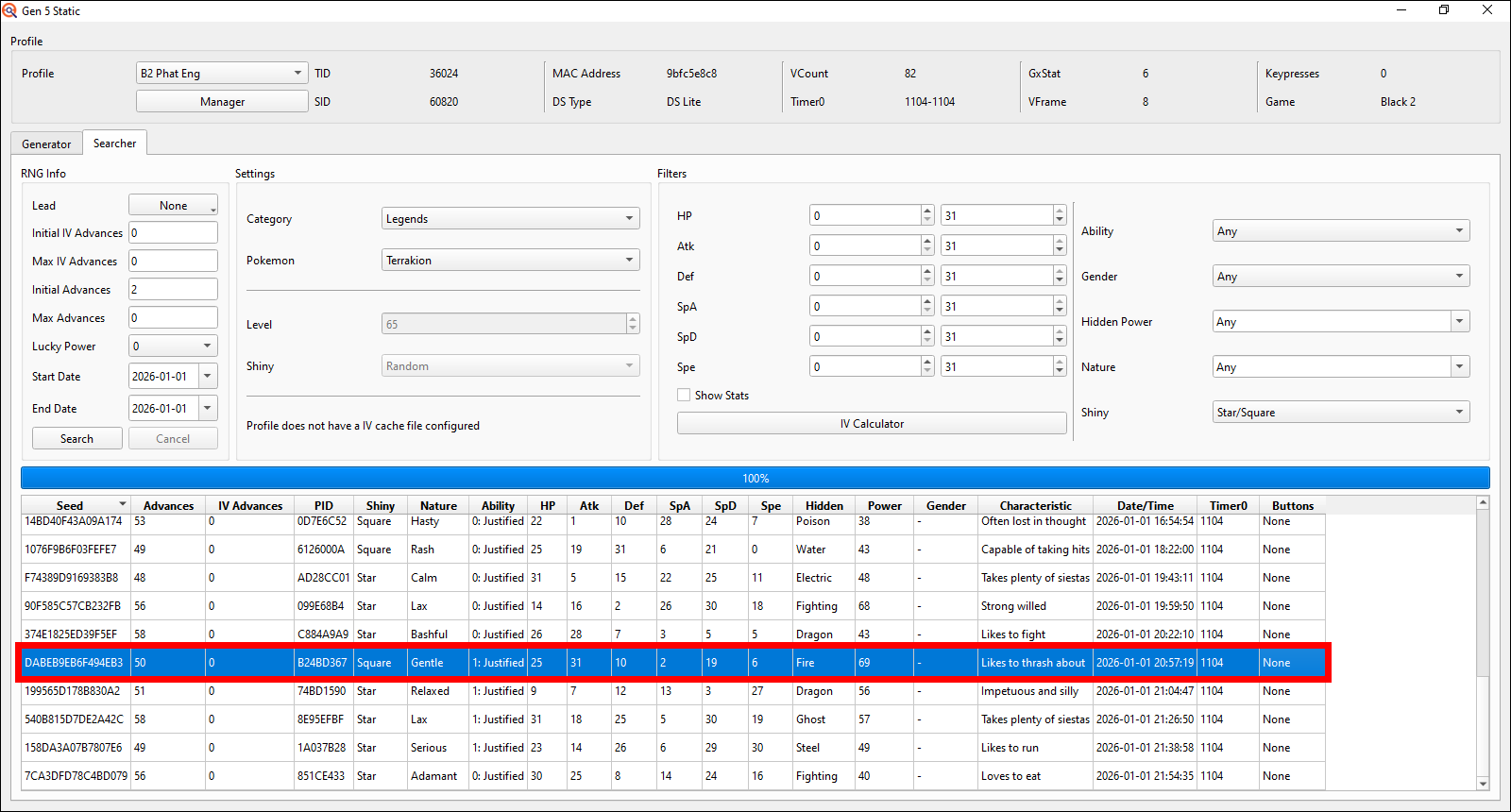
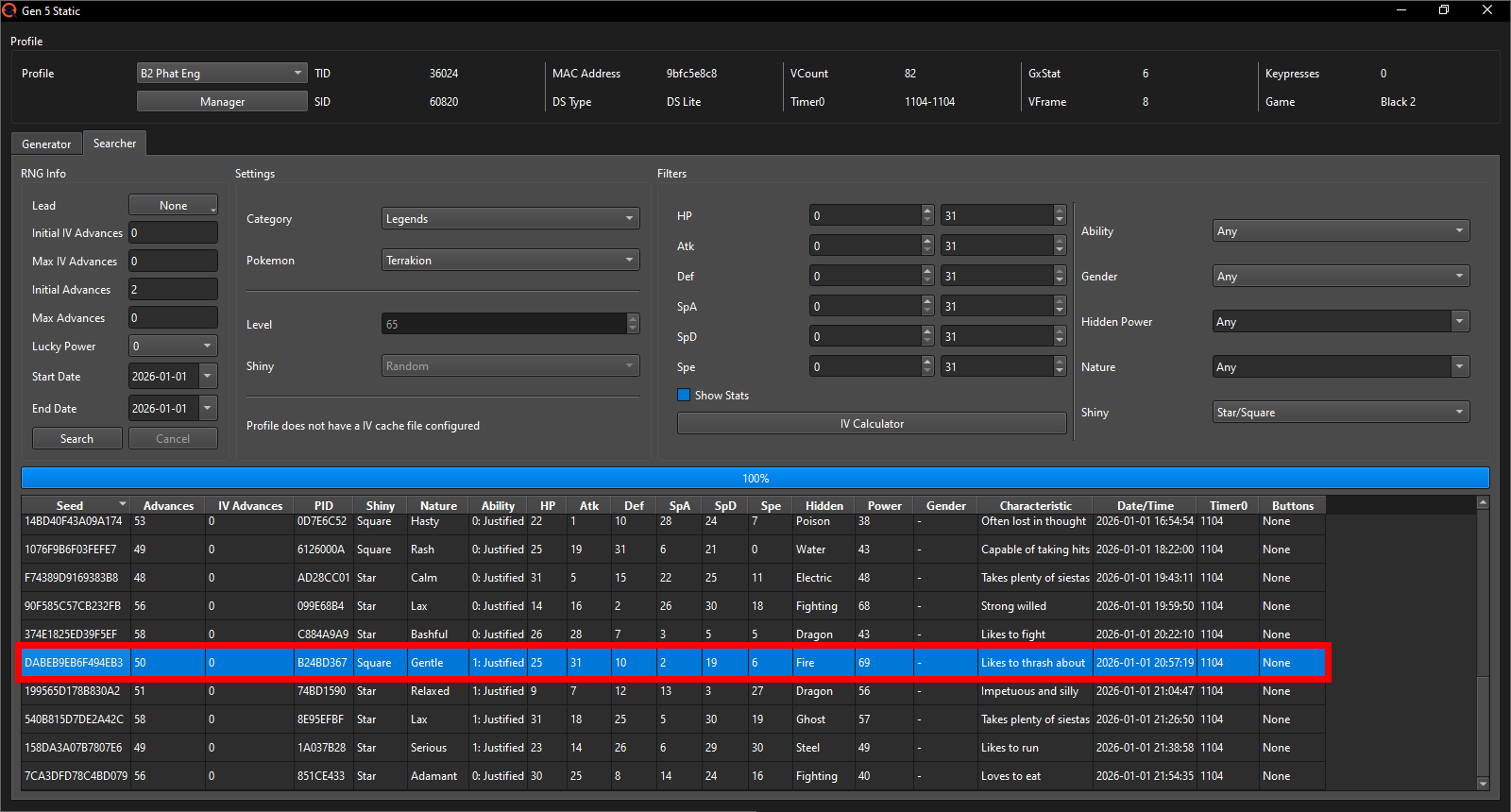
I will pick this Gentle Nature Seed here at Advance 50 on the 1st of January 2026 at 20:57:19 because the target second in 19 is the lowest out of the options PokeFinder gave me that EonTimer will allow me to go for with my EonTimer settings. If you are on 3DS you'll probably want to pick a target closer to 40-55 seconds due to its much longer loading times; but only if you have the choice. It's not required by any means, but will just make each attempt a little bit faster.
Note: Why are numbers in the Advances column all different even with max Advances at 0?
In generation 5, the RNG can start on different Advance numbers for different seeds. In BW1 it usually starts between Advance ~35-55 and in BW2 usually between ~40-60. So a target that requires no Advances may be on Advance 45 on one Seed, but on Advance 50 on another Seed, simply because those are the "starting Advances" of those different Seeds.Before we continue, we'll want to import an IV Cache into our Profile to significantly speed up the target Seed search. Should you already have an IV Cache from getting a perfect IV Starter, you can skip the next 5 images and continue at "Now back to finding a target Seed".
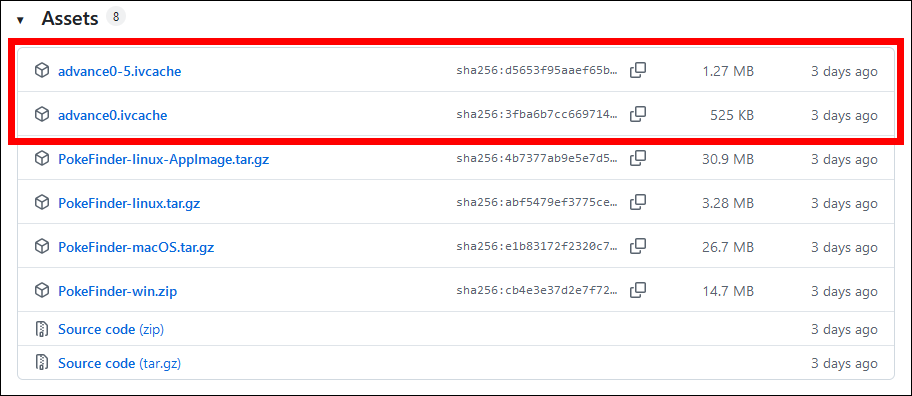
For this we need to download the IV Cache first. You can get it from the Assets on PokeFinder's GitHub page. I'll pick the 0-5 IV Advance Cache so I'll have more options if I want to do some advanced IV advancement methods in the future (not discussed in this guide). It also costs less than 1 MB space more than the one with only IV Advance 0, so I don't see a point in ever choosing the Advance 0 file. I recommend you save it in the PokeFinder folder so you can easily find it again later. Should you accidentally delete the file you can always just redownload it.
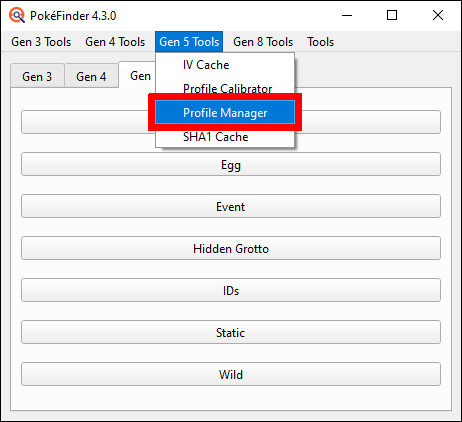
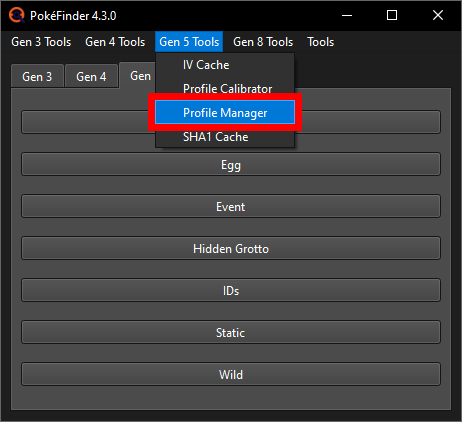
In the main window of PokeFinder go to Gen 5 Tools at the top, open the Profile Manager and once there, select the Profile of the game you wish to do this RNG in and click the edit button at the top.
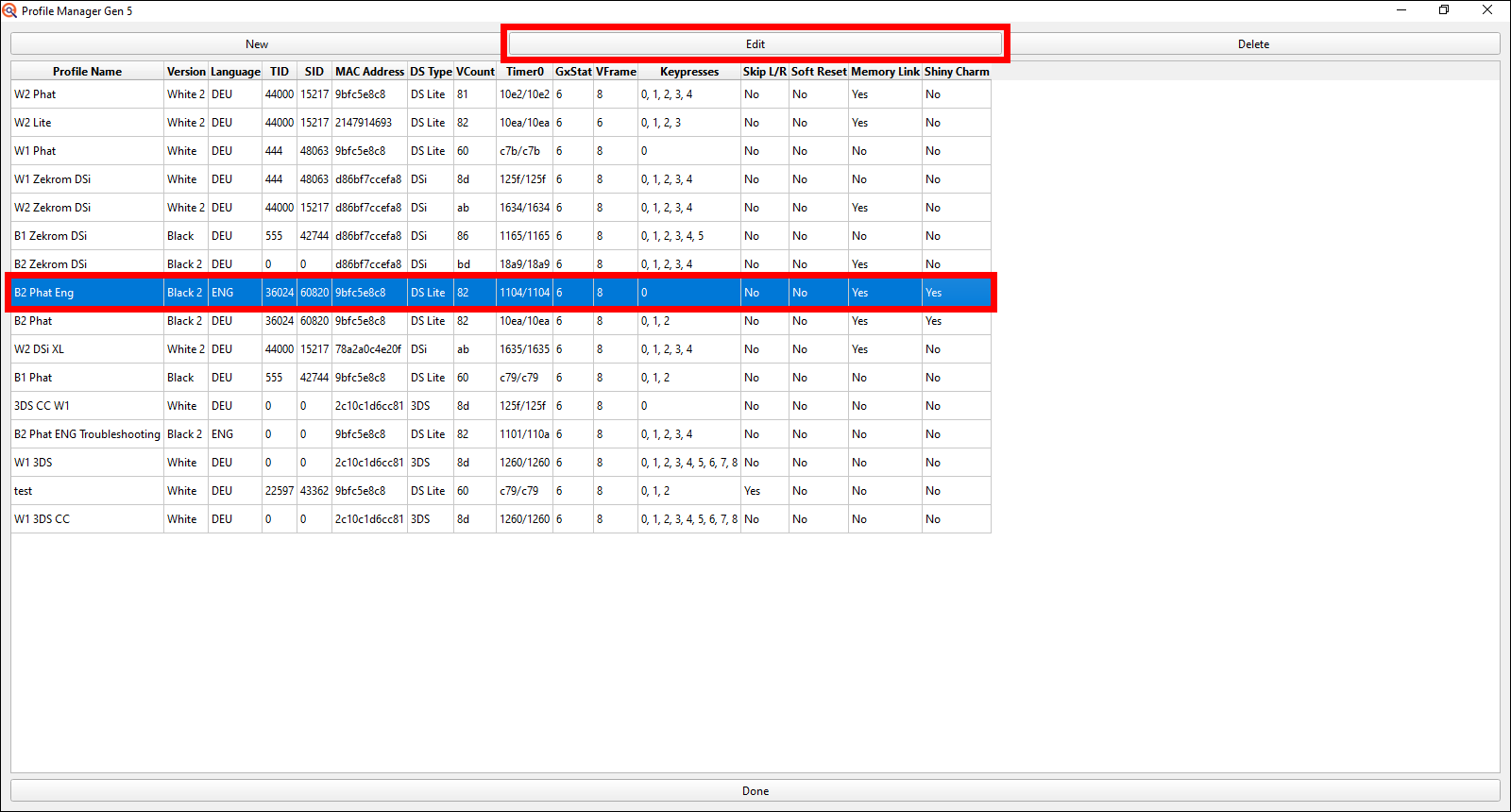
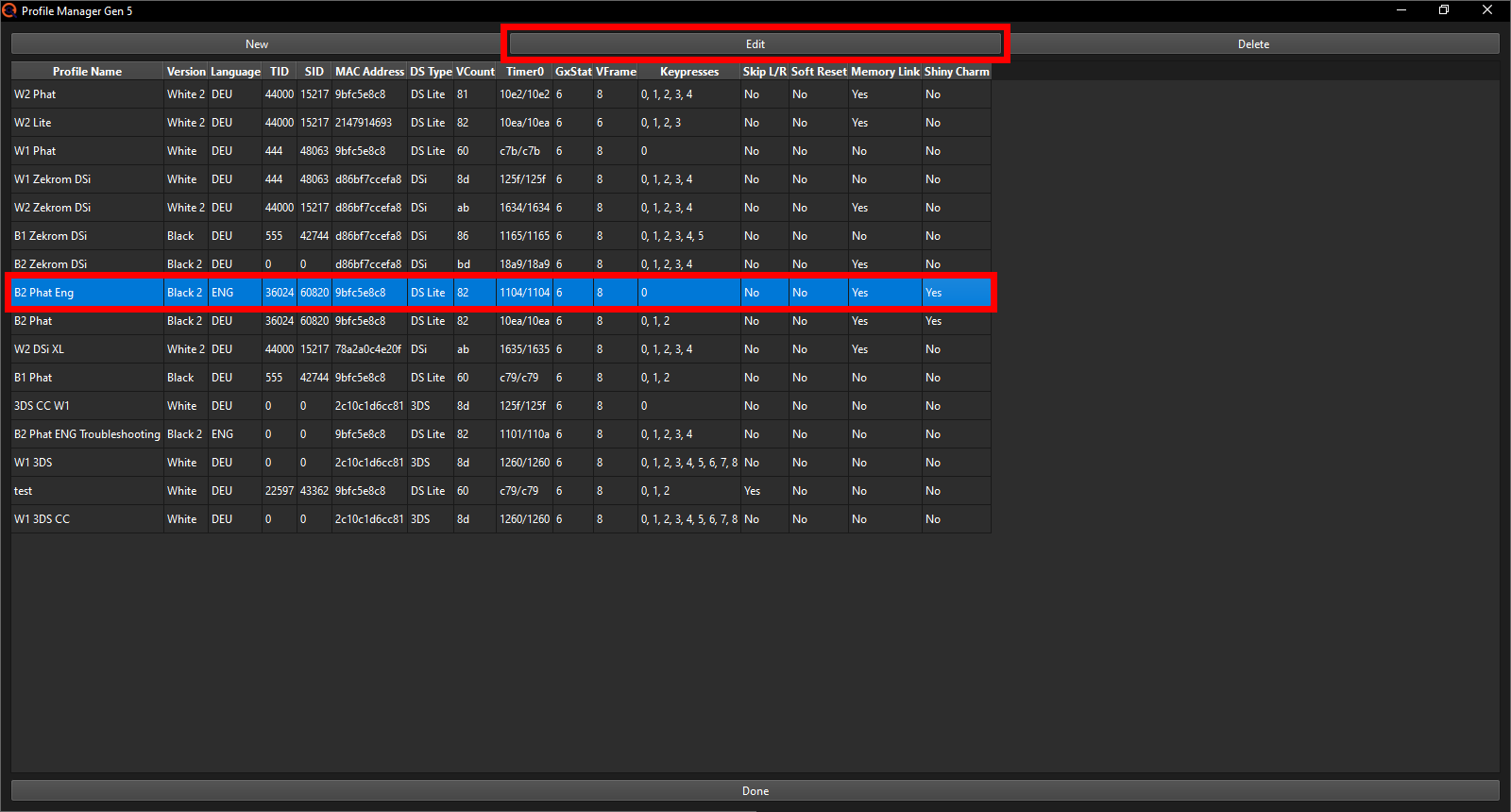
A smaller Profile Editor window will pop up with 2 empty fields in the bottom right labeled IV Cache and SHA Cache. Click on the Select File button next to the IV Cache and PokeFinder will open your file explorer in the folder you saved PokeFinder in.
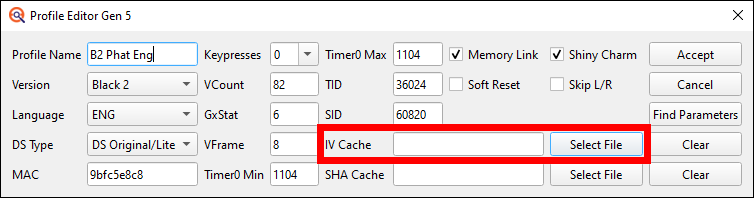
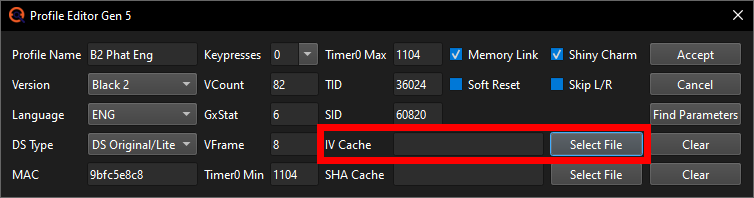
Here select the IV Cache file you downloaded earlier. The SHA Cache you can ignore for now. It's primarily useful for wild RNG when you're going for highly specific targets and cuts down the search time even further.
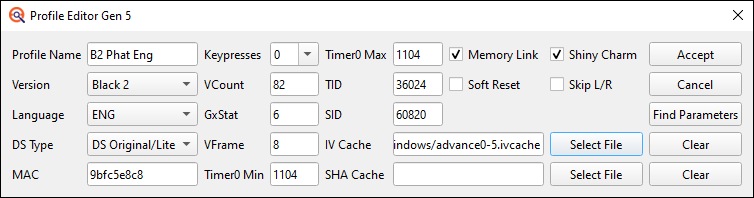
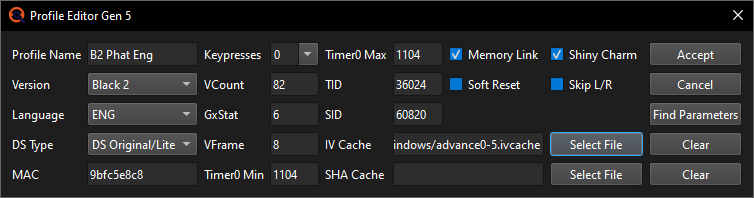
Now back to finding a target Seed.
For the Keypresses I'll have enabled in my Profile, the Initial Advances, the Max Advances and the date range I'll refer to the table with the recommended searcher settings.
Note: How to change Keypresses
In the Static window click on the Manager button in the top left and the Profile Manager will open. Select the Profile of the game you're RNGing in and click on the Edit button at the top to open the Profile Editor. Here you can change the active Keypresses. Make sure to click the Accept button after to save your changes.
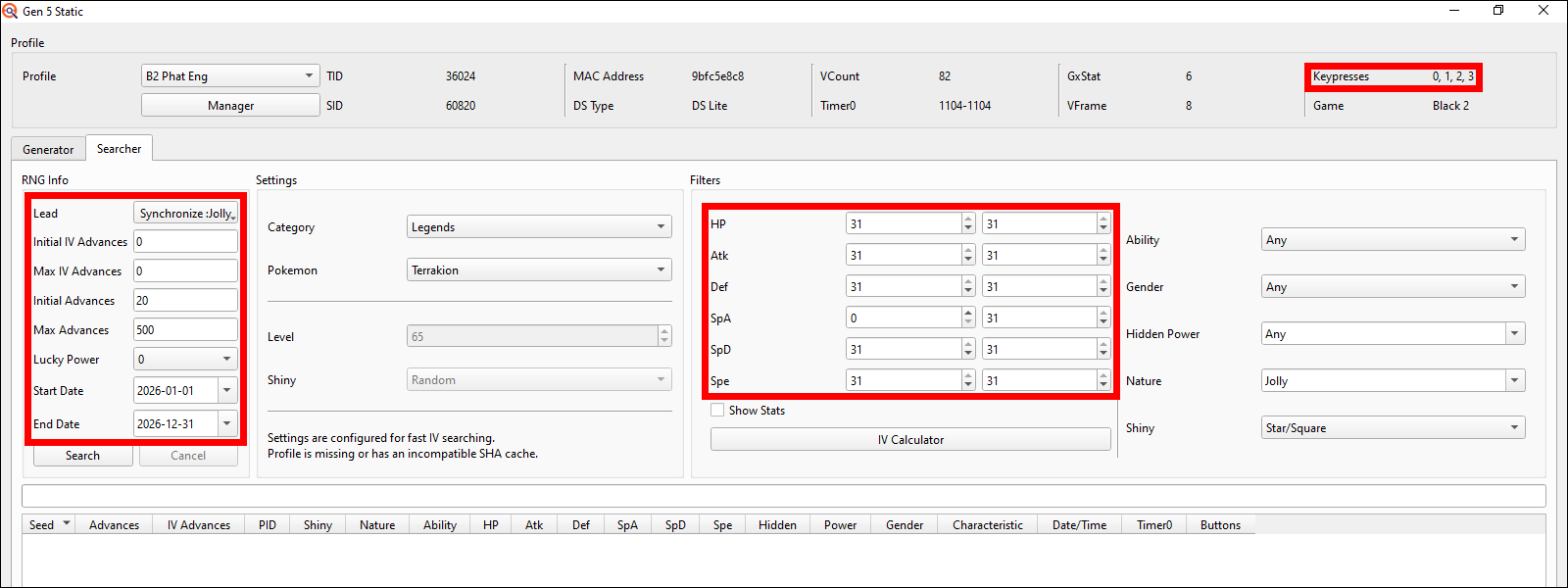
Since I want my Terrakion to have 5 IVs at a perfect 31 value, I put the IV
ranges to only look for 31 Hitpoints, Attack, Defense, Special Defense and
Speed by putting the Min of those stats to 31 (whilst the Max was already
at 31). The Special Attack I'll leave at 0-31, as I don't care how high or
low of a Special Attack IV my Terrakion will get.
For getting a 5 IV shiny Stationary with a specific Nature in an area with
1 randomly moving NPC, I now set the Keypresses to include 0, 1, 2 and 3,
the Initial Advances to 20 since there's 1 RMNPC near Terrakion in BW2,
the Max Advances to 500 and the date range to be a full year that being
the entirety of 2026, because 2026 just began as I'm writing this guide.
Adjust the Initial Advances according to your target's RMNPC count if it's
not 1 like in my example and pick whatever date range you want to (your
target Seeds date will decide your Pokémon's Met Date later).
I will also search with a Synchronize lead for a Jolly Nature to greatly
increase the amount of potential target Seeds PokeFinder can give me
(Leads are only possible with Stationaries, so Gift encounters won't even
have the Lead option in the top left). Lastly input your desired IVs &
Nature and set theshiny option to "Star/Square" for the most possible
results.
Note: What are Star and Square shinies?
Star and Square shinies are ONLY differentiated in Pokémon Sword and Shield specifically by having different shiny sparkles when sent out into battle. If you either don't plan to transfer this Pokémon at all or intend to transfer it to literally any other game (all of Gens 6, 7 and 9 + BDSP, Legends: Arceus and Legends: Z-A), this difference does not exist.
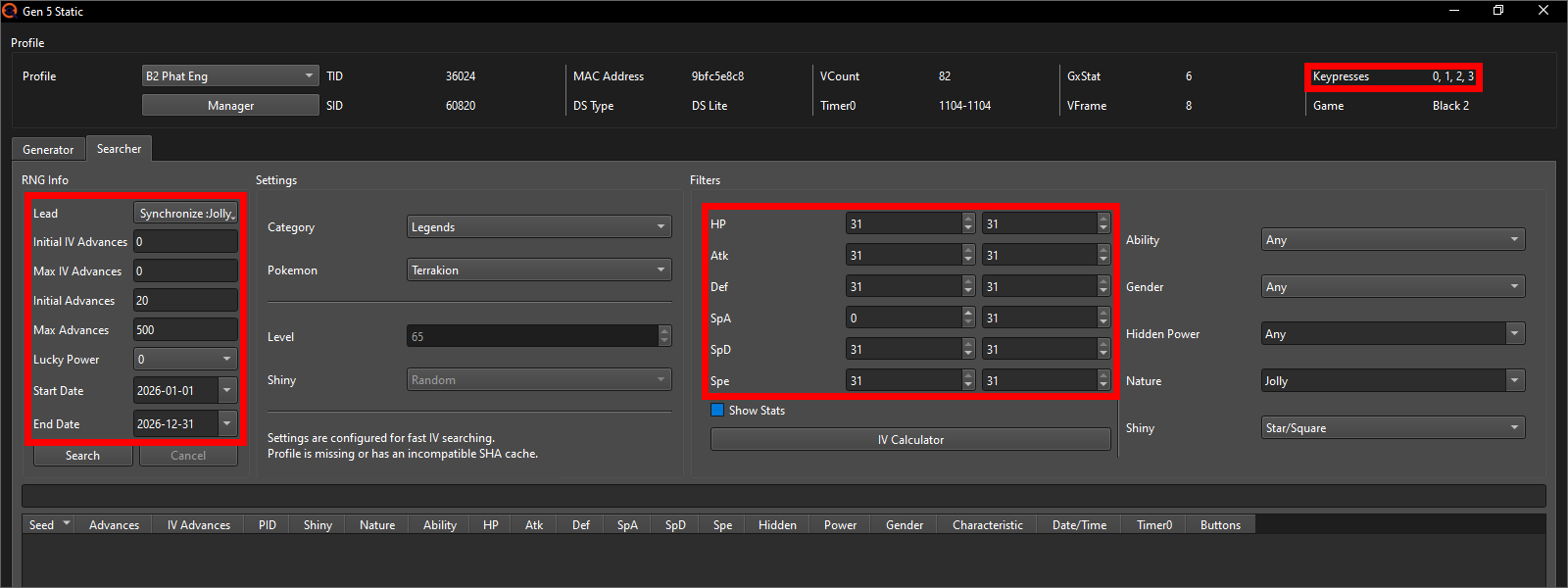
Once done, your searcher may look something like this:
Now you can hit the Search button and let PokeFinder search for potential targets.
Note: What to do if you get no results
Even with these search ranges you are not guaranteed to find a target
Seed. If you used the recommended ranges and got nothing, you can expand
them as you see fit using any one (or a combination of) these 3 options:
1. Change the date range
By adjusting the Start and End Date to search through other months or
years, you are very likely to find a target Seed. This option has
no downsides. Unless of course you want to have a somewhat or even
exactly specific "Met Date" on the Pokémon for personal reasons.
2. Adjust the Initial Advances
If you already searched e.g. with 20 Initial Advances and 500 Max
Advances through the entire year of 2025 trying to find a shiny &
5 IV target Seed but got nothing, do not waste your time partially
repeating that search by just increasing the Max Advances; this would
only have PokeFinder search through Advance amounts of 20-520 again
(which still get you no results with the same date range as before)
and only after it would start checking the now higher Max Advances.
Instead adjust the Initial Advances to e.g. be 520 so it starts
searching after your previously searched range.
With this you are also very likely to find a target Seed, in exchange
however a higher target Advance number also means having to spend
more time later advancing the RNG in-game. Especially when going for
a target that's several hundred or possibly even over a thousand
Advances away, this will make the RNG very lengthy.
3. Increase Keypresses
To increase the Keypresses (aka the amount of buttons to hold whilst
the game is starting up; will be explained further later), simply edit
your Profile in the Profile Manager and check off more options in the
Keypresses dropdown. Every additional Keypress amount that you enable
will open up a lot more potential target Seeds for PokeFinder to find.
If you are already at up to 5 Keypresses, I would not recommend to
increase it further, as starting at 6 the button combinations become
increasingly more difficult and sometimes painful to press and hold.
But you can of course give it a try if you wish and there is certainly
some combinations that are still reasonably easy to do even with 6 or
more buttons at a time.
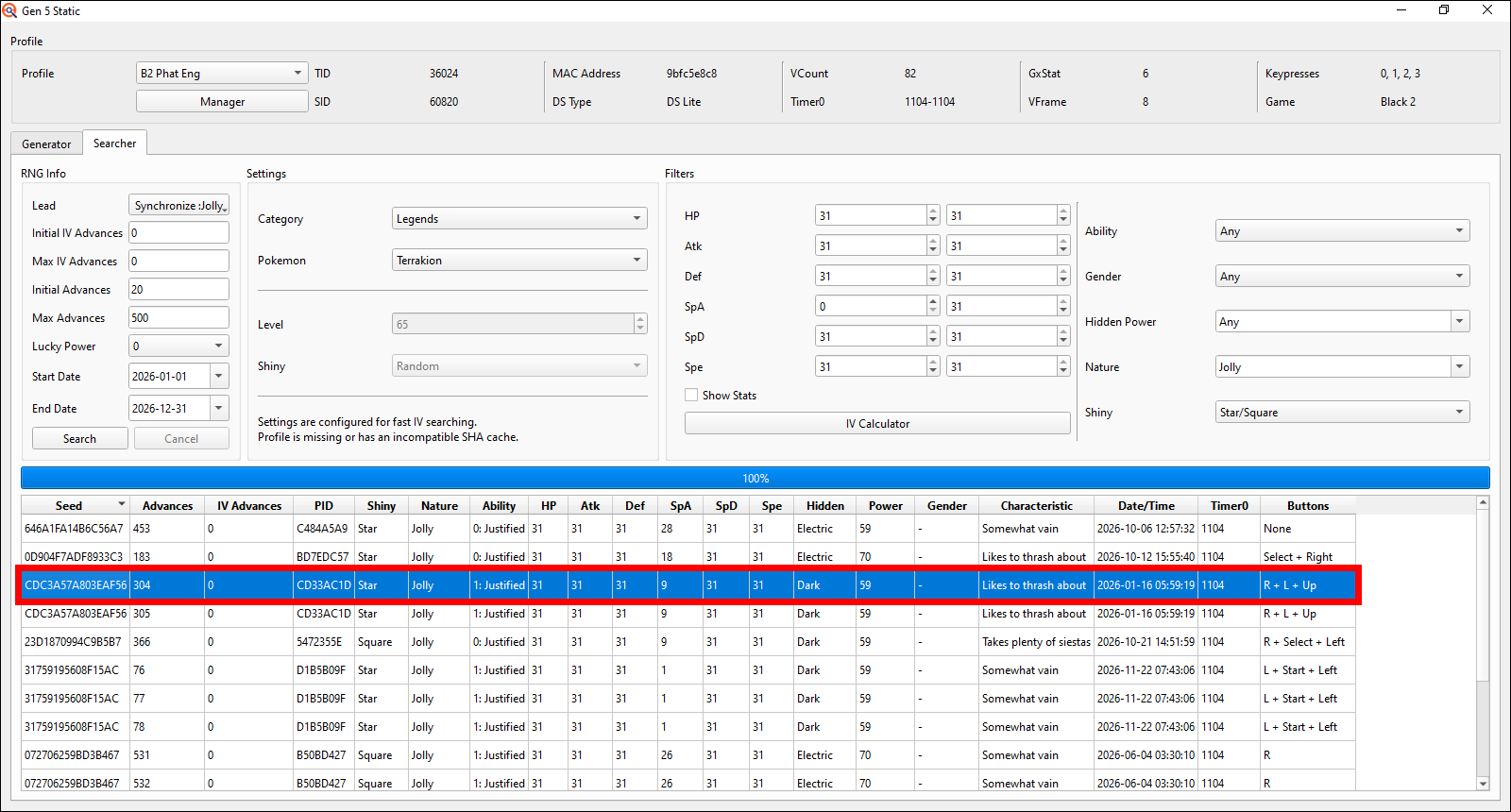
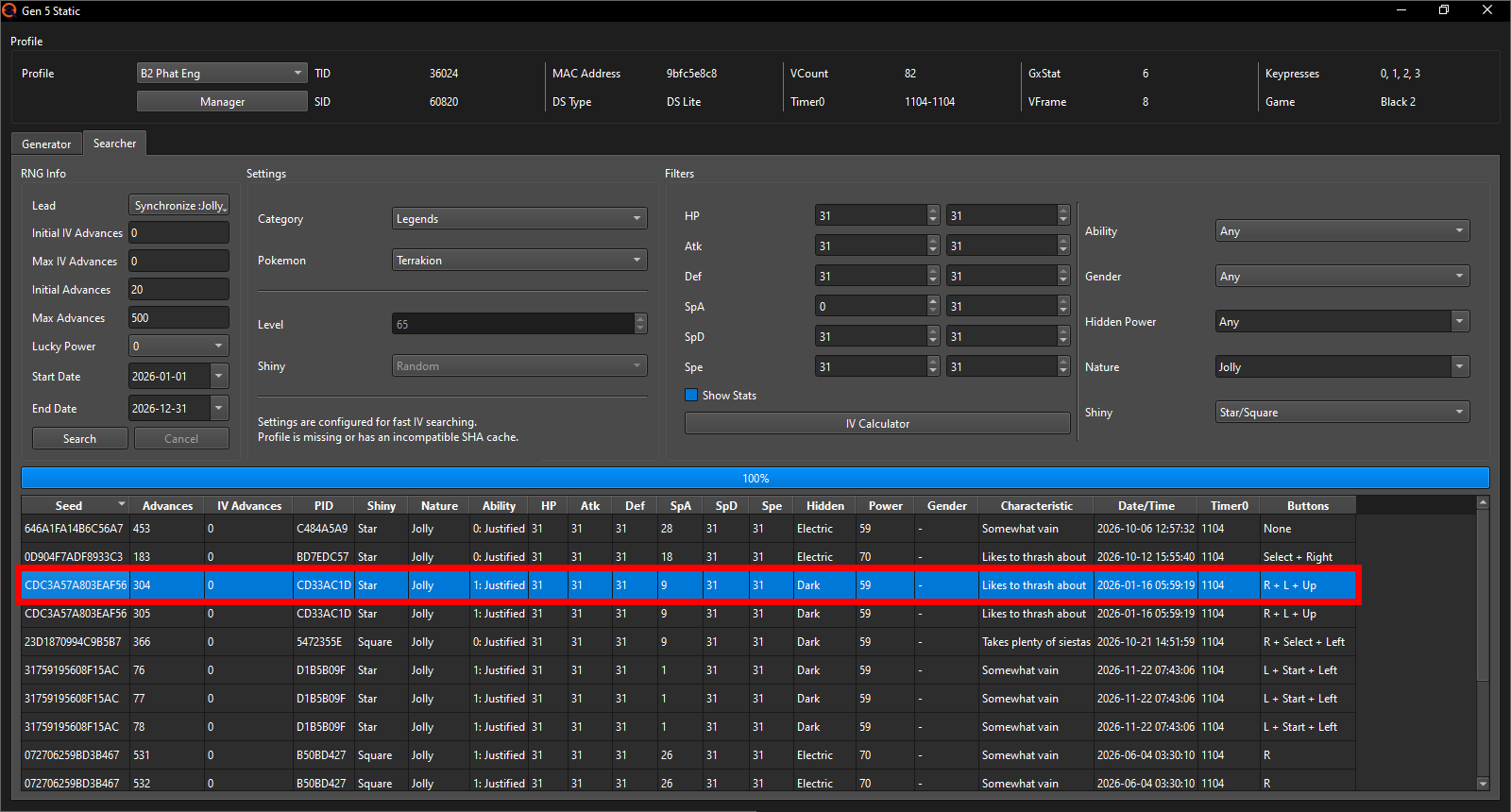
I will pick this Jolly Terrakion Seed here on the 16th of January 2026 at
05:59:16, at Advance 304 because the target second is 19, which is the
fastest target second EonTimer will allow me to go for with my EonTimer
settings out of the Seed options PokeFinder gave me. If you are on 3DS
you'll probably want to pick a target closer to 40-55 seconds due to its
much longer loading times; but only if you have the choice. It's not
required by any means but will just make each attempt a little bit faster.
The target Advance being 304 is also fairly good; will only require me to do
about 250 Advances myself when it could've been as much as 500 with my
Searcher settings. There are 3 Keypresses in the Start and Y buttons and the Up
direction on the D-pad that I'll have to press and hold during startup of the
game. Since I have theshiny Charm on my save file already, there's another
shiny Advance immediately after my target, so that's neat in case I advance
by 1 too many on accident; without the shiny Charm you won't get such
consecutive shiny Advances.
Our final bit of preparation will be for the Generator tab in PokeFinder. Copy your target Seed from the Searcher tab (e.g. using a keyboard shortcut like ctrl+c on Windows), switch to the Generator tab in the top left and paste the Seed into the Seed field. Now select your target Pokémon's Category and then the Pokémon itself and input any Lead info in the top left if required (as said before for Gift encounters, the Lead option isn't there). I am going for a Synchronize Lead with a Jolly Nature so that's what I put in there.
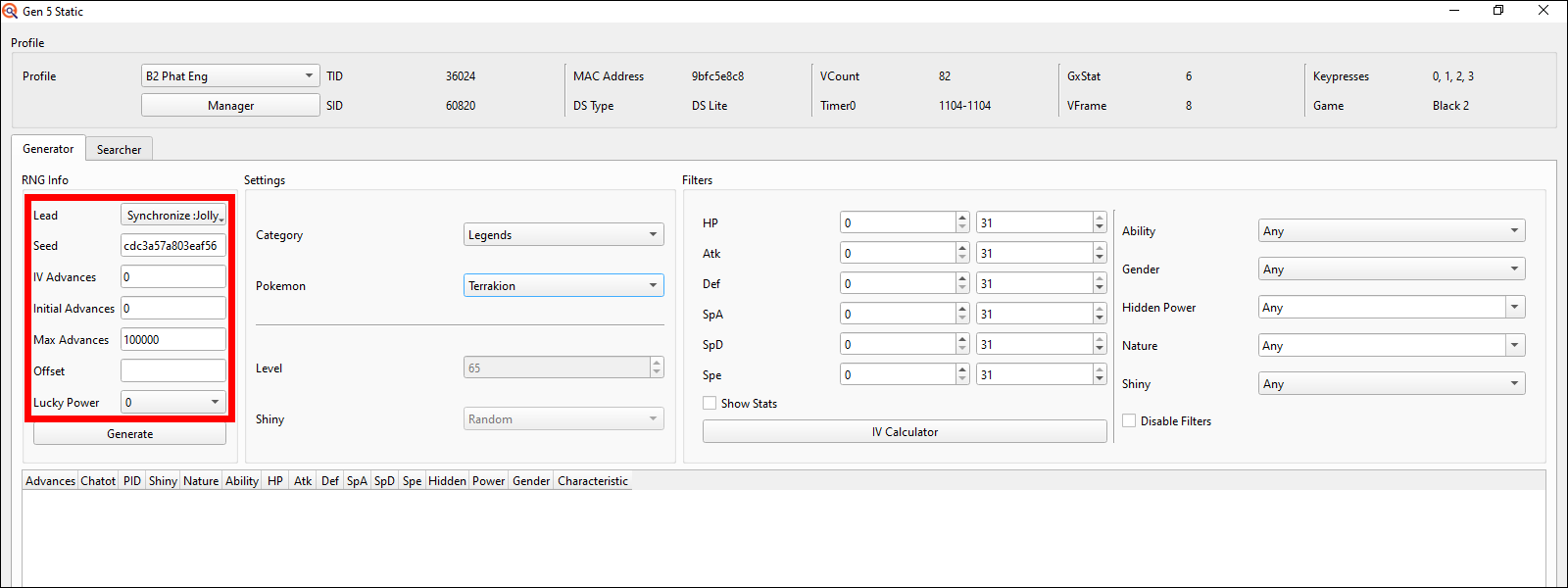
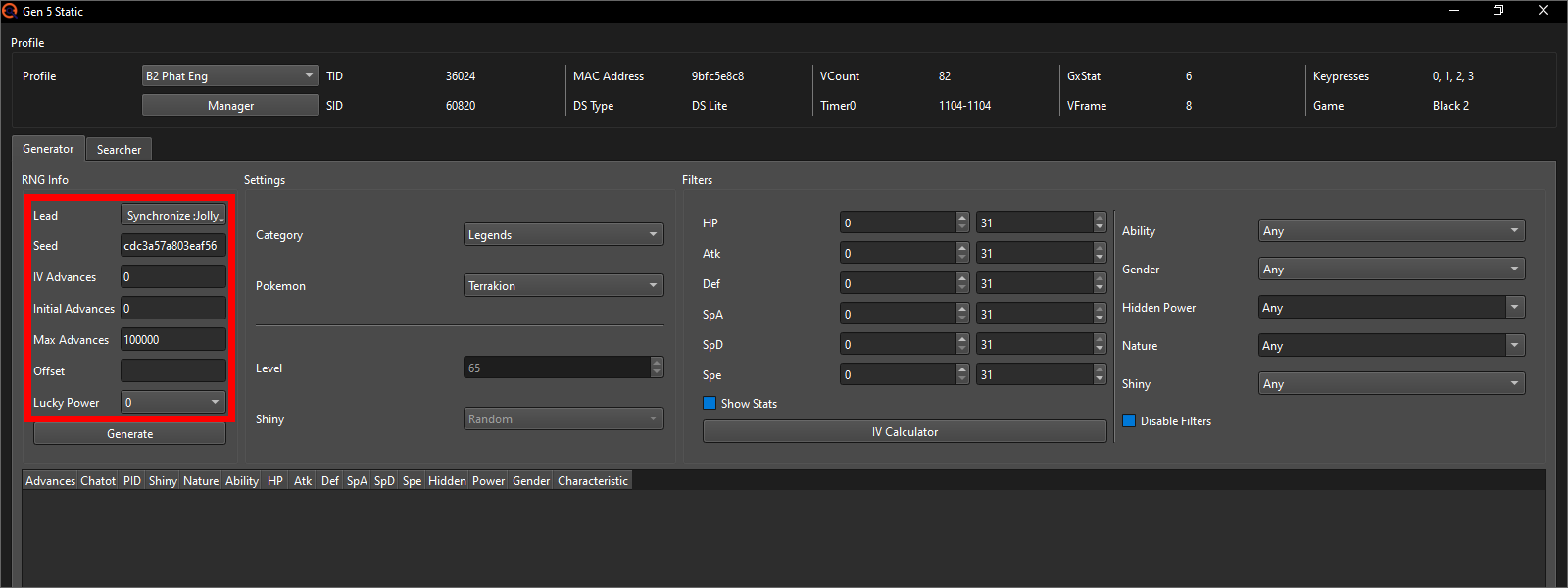
Now it's important that you do NOT touch the Filters section on the right for now; this would only hide some of the Advances that do not fit whatever you put into those Filters, thus making it impossible to later track what Advance we're on.
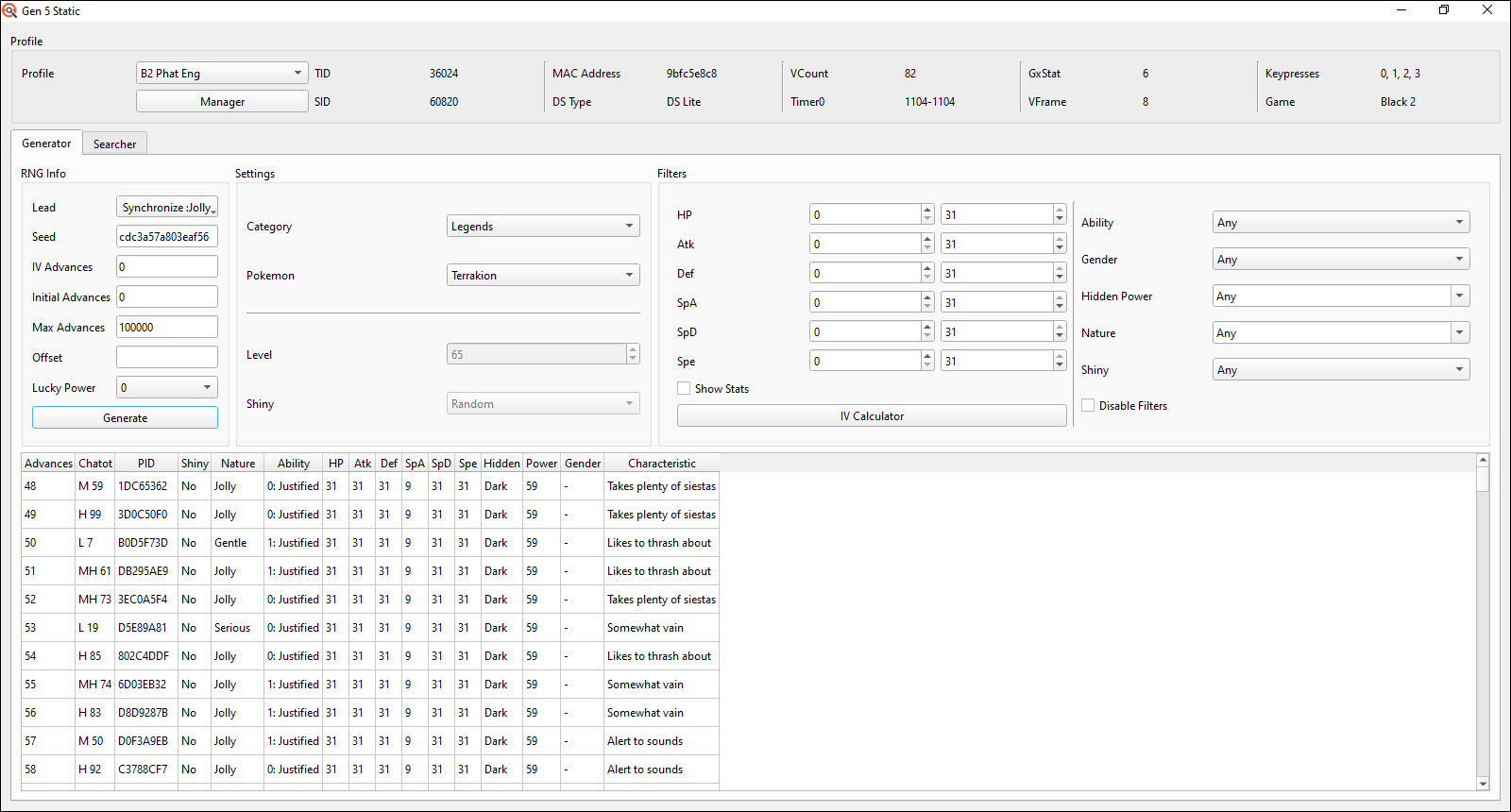
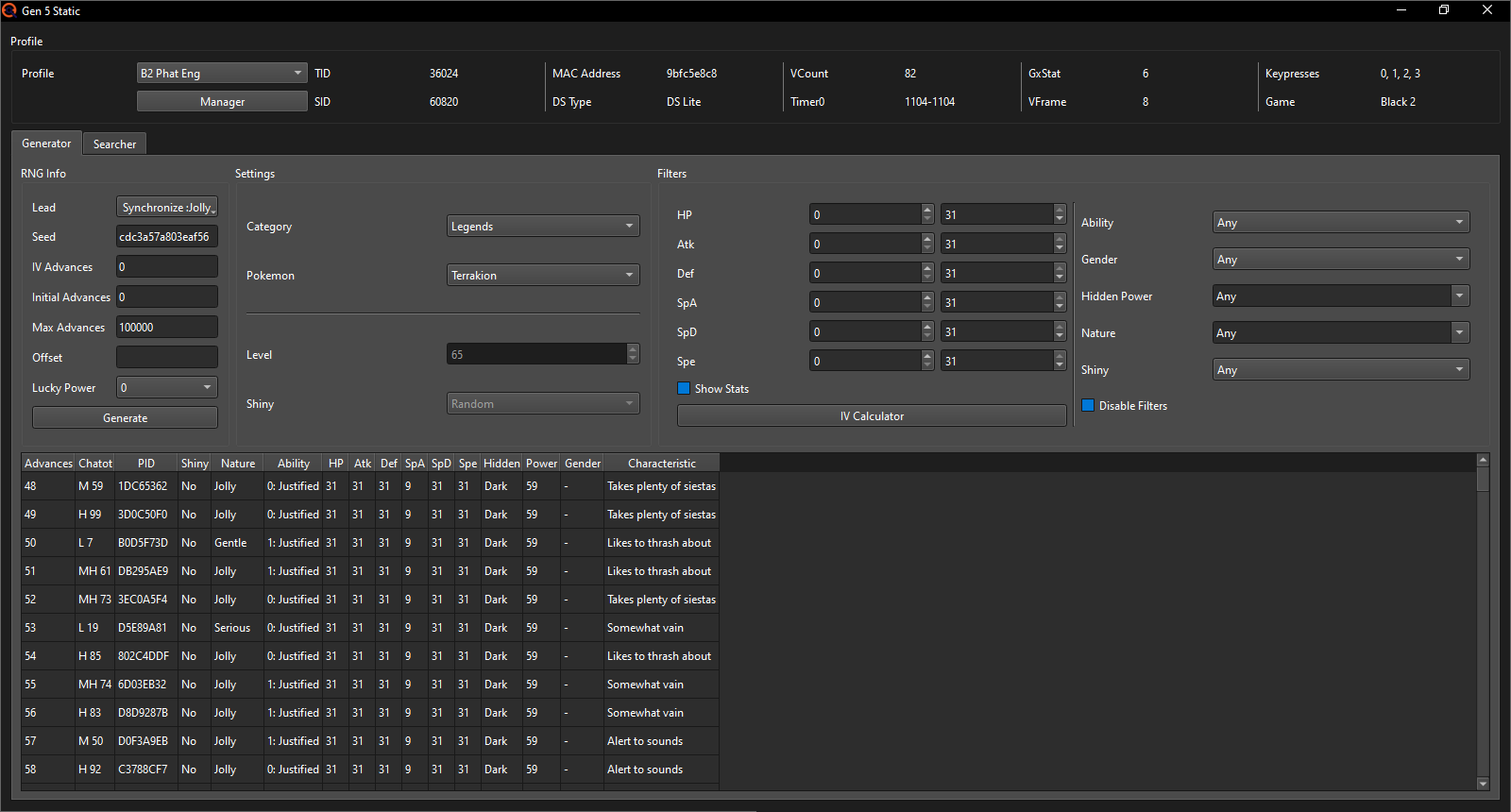
Once done, press the Generate button and the Generator tab should look something like this:
The RNG process
Open up EonTimer and there put the Target Second to your Seed's seconds (19 in my case), go into the DS menu to change the date to the target date (here the 1st of January 2026) and get ready to change and confirm the target time (20:57 for me; should EonTimer say "Minutes Before Target: 1" and your target time is e.g. 12:30:05, you'd need to put it to 12:29 in your DS instead).
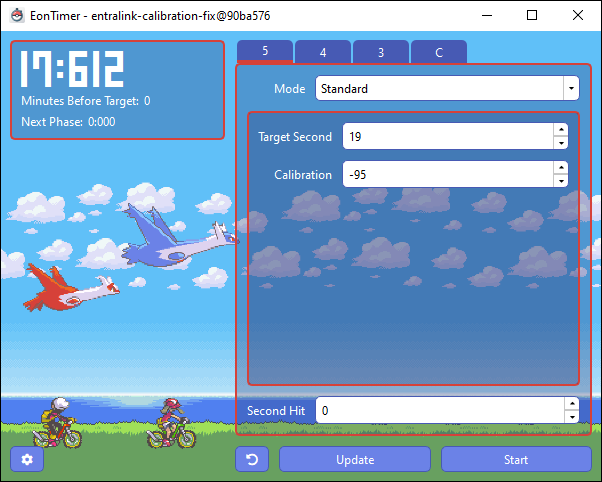
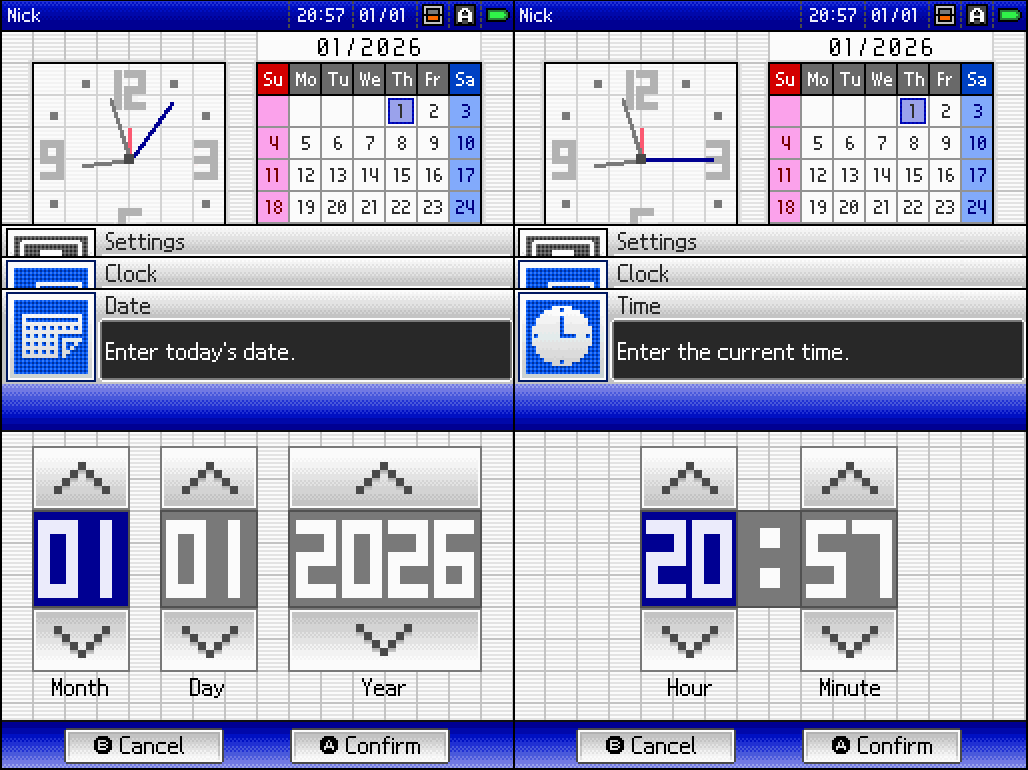
At the moment that you confirm the time change on your DS console, press the Start button in EonTimer. Now go back to the home menu, get ready to start the game as soon as the 6th and final beep of EonTimer sounds and right after make sure to not press any buttons until the star appears on the top screen.

Now continue getting into the game. Once you click continue on the save file selection screen, disable the C-Gear and then start spamming the A button to make the season showing screen fade faster and right after immediately start the Encounter/take the Gift. Being as fast as possible here is only important if there is any RMNPCs near your target Pokémon, as RMNPCs can already start moving, and thus advance the RNG, whilst the game is showing you the current season. If there are 0 RMNPCs in the area according to the "Pokémon selector", you can take your time here.
If you're lucky, you will have the shiny Static of your dreams now (if your target was a Stationary, you'll have to catch it first of course), in which case you can skip to "Next steps…".
Open up EonTimer and there put the Target Second to your Seed's
seconds (27 in my case), go into the DS menu to change the date
to the target date (here the 11th of November 2026) and get ready
to change and confirm the target time (06:15 for me; should EonTimer
say "Minutes Before Target: 1" and your target time is e.g.
12:30:05, you'd need to put it to 12:29 in your DS instead).
Also double check what buttons you'll need to press.
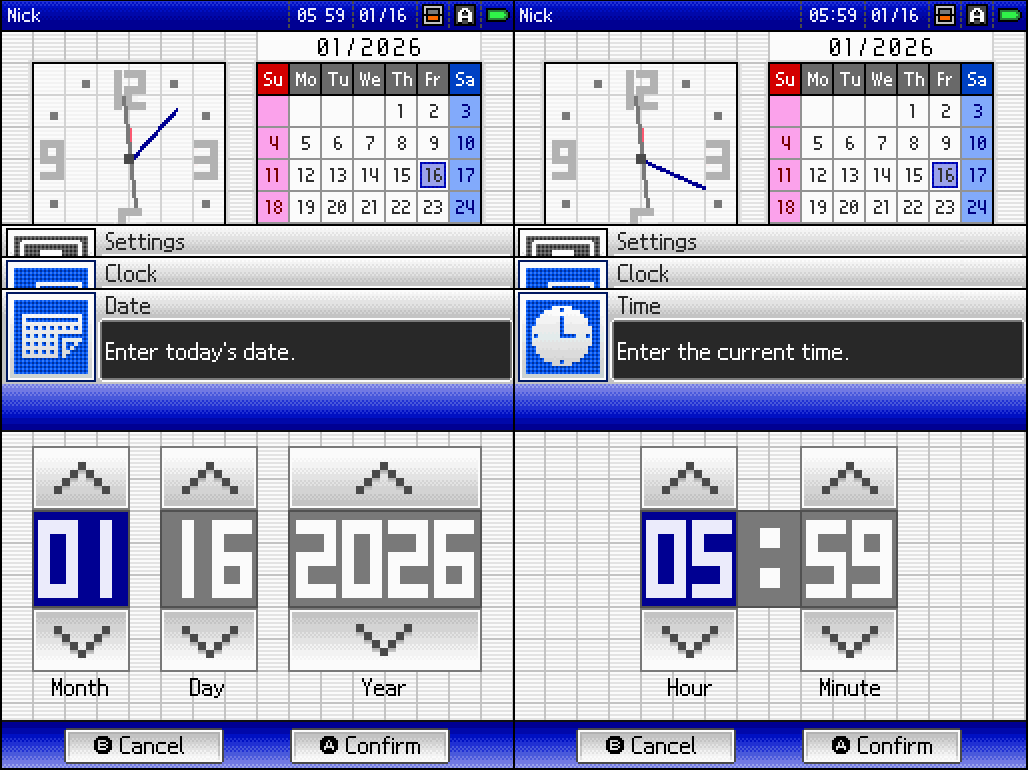
At the moment that you confirm the time change on your DS console, press the Start button in EonTimer. Now go back to the home menu, get ready to start the game as soon as the 6th and final beep of EonTimer sounds and make sure to press and hold any buttons your target Seed may require (start pressing the buttons right after you started the game and you can let go once the star appears on the top screen). I will need to press and hold the Select and Y buttons and the Up direction on the D-pad.
Now continue getting into the game. Once you click continue on the save file selection screen, immediately start spamming the A button to make the season showing screen fade faster and once it starts fading immediately start spamming the X button to open up the menu. But be careful to not spam for too long as the menu can also be closed using the X button. Being as fast as possible here is only important if there is any RMNPCs near your target Pokémon, as RMNPCs can already start moving, and thus advance the RNG, whilst the game is showing you the current season. If there are 0 RMNPCs in the area according to the Pokémon Selector, you can take your time here.
Now go into your party and it's time to advance the RNG to reach your target Advance. For this we will use Chatot. If you do not have access to Chatot, you can also use saving the game to Advance the RNG, though it will take significantly longer and is extremely unreliable if there's any RMNPCs around.
Note: What's the target Advance if I'm not going for a shiny?
In the Searcher tab you will still have been shown your target Advance, it's just less obvious to find in the Generator tab. Since the IVs are the same on every PIDrng Advance, due to the IVrng not being advanced, you can just choose any Advance that has the Nature (+possibly Gender) that you want your Pokémon to have. You don't necessarily have to go for the target Advance that was specified in the Searcher tab when not going for a shiny.
Select the tab fitting the method you want to advance the RNG with:
In the Generator tab of the Static window you can see the Chatot column. With a custom Chatter recording, whenever you view the summary of a Chatot in e.g. the party screen, the game picks a value between 0-99 at random and, depending on how high of a number it rolls, the Chatot's cry (commonly just referred to as the "Chatter") will sound anywhere from very deep (lower value) to very high (higher value). Due to this randomization, each time you listen to a Chatter, the RNG Advances forward by 1 to decide how low or high pitched exactly it should sound that time.
Now you may be tempted to just count how often you listen to the Chatters
and then do the encounter but please DON'T do this. There's many potential
RNG noise factors, such as RMNPCs, that can influence the RNG Advance you
start at without you knowing about it causing you to miss your target.
Instead carefully listen to the pitches of your Chatot and try to follow
along with the Generator tabs Chatot column. I recommend to focus on the
really low and really high sounding Chatters only; we humans aren't made for
distinguishing between pitches that are close to each other (e.g. a pitch
with a value of 45 will sound almost exactly the same as a pitch with a value
of 55 to us). Once you've done a few RNGs and gotten used to your Chatter, you
will get better at differentiating the different pitches.
If you're RNGing a Pokémon without any RMNPCs around, the first Chatter
you'll hear if you hit your target Seed is the very first one shown in
the Generator tab. The exact Advance number you start at will differ from
Seed to Seed but is generally between ~35-55 in BW1 and ~40-60 in BW2.
If you're RNGing a Pokémon with RMNPCs around like I am doing with
Terrakion however, there will most likely be additional Advances happening
before you can open up the menu.
How many Advances that is exactly depends on both the RNG state and the
specific area you're in. For Terrakion, which has 1 RMNPC and a location
type of 1, there's about a 55% chance that this RMNPC will Advance the RNG
by 2 whilst I'm loading into the game and seeing the current season if I
spam A and after X optimally. The precise odds you don't really need to
know but instead just take this general rule of thumb:
1 RMNPC = ~2 Advances whilst loading in if you open the menu as fast as possible
2 RMNPCs = ~4 Advances
3 RMNPCs = ~6 Advances
5 RMNPCs = ~12 Advances
6 RMNPCs = ~14 Advances
8 RMNPCs = ~18 Advances
Note: Read this if your target is Braviary in W2 part 2
Whilst there are no RMNPCs loaded in at Braviary specifically (if you saved right of it), the Sandstorm will advance a LOT when loading into the game. With perfect timing for spamming A to make the season fade in screen go away faster, immediate spamming X to open up the menu and then instantly spamming A again to get to the party submenu (since the Sandstorm advances whilst the menu selection is up), 232 Advances will have happened. Due to human error, it's more likely to end up being between 232-244 (assuming no mistakes like accidentally closing the menu selection again by having spammed X for too long).
The higher the RMNPC number, the less stable this becomes. Whilst 2 RMNPCs for example have about a 33% chance of causing the most likely Advance number in 4, 6 RMNPCs only have about a 12% chance to hit their most likely Advance number in 14. So if your target has a higher RMNPC count, it'll be more difficult to figure out what RNG Advance exactly you're on after loading into the game.
Back to the RNG; after 7 attempts of Chatter patterns that sounded nothing like my target Seeds pattern, I got these as the first 10 Chatters:
It starts with a fairly low pitch, then goes to a medium/high, another medium/high, a low, 3 highs in a row, a medium and finally 2 highs in a row. This matches the Chatters from Advance 50 to Advance 59 perfectly, so I know that I am now on target Seed.
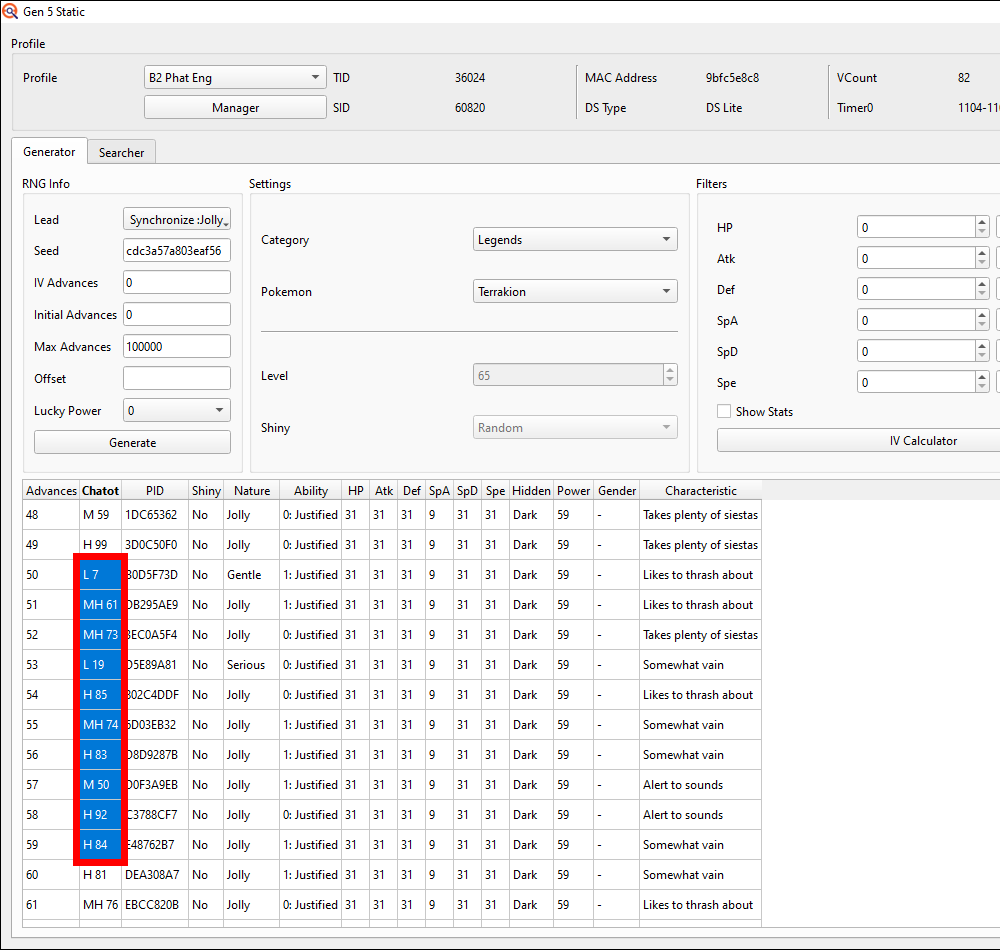
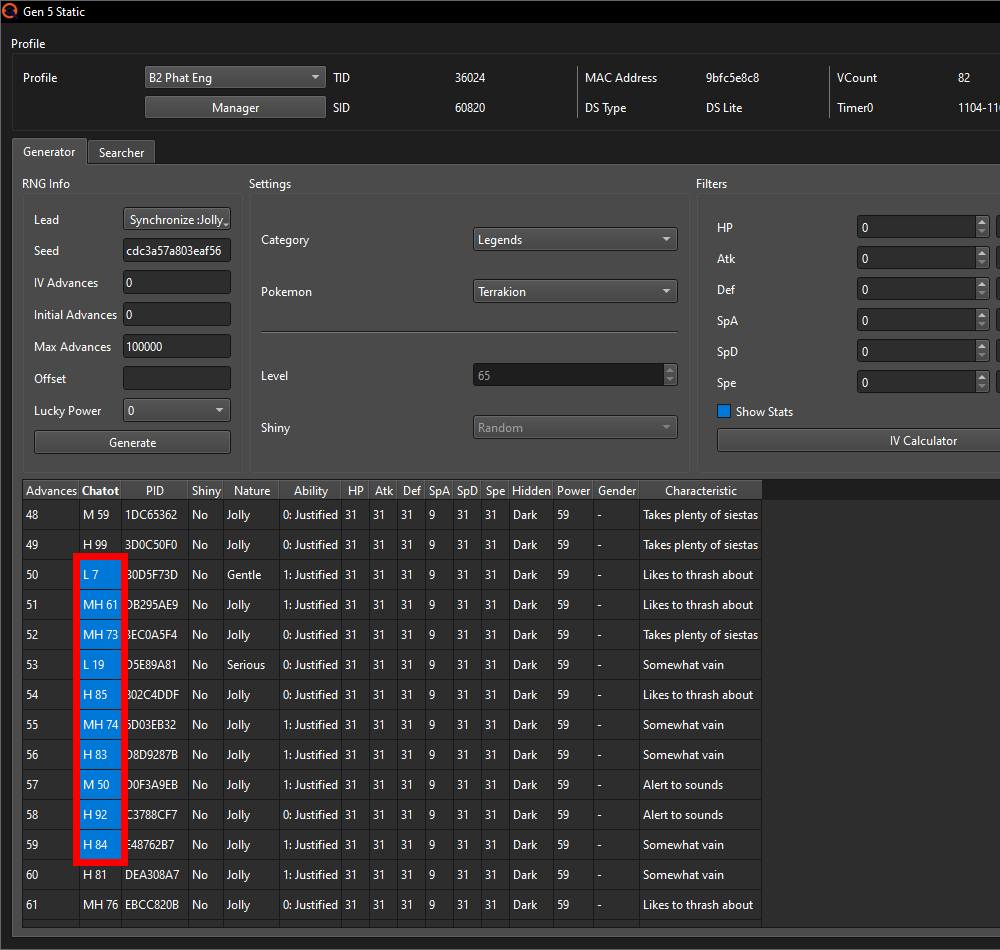
My predicted 2 Advances from the RMNPC when loading into the game were correct this time, making me start on Advance 50 instead of this Seeds starting Advance of 48. These predictions for areas with RMNPCs are not perfect however and starting on a later or earlier Advance was also very possible. This does give you a good idea about where to start looking for the Chatter pitches though.
With the Chatter of Advance 59 being the last one I heard, I can start
advancing towards my target by just flipping between my two Chatot as fast
as the game will allow me to. You do NOT have to let a Chatter play out in
full; just the act of opening/switching to the summary of a Chatot is
enough for the RNG Advance to happen.
Keep advancing now following along with the Chatter pitches until you're
exactly 1 Advance away from your target.
Note: Read this if your target is Braviary in W2 part 3
Due to the Sandstorm, you'll need to stop 185 Advances before your
target for Braviary. During testing I did get 181 and 189 as well, but
only on tests that were over a year old and I could not replicate again
recently; so if 185 doesn't work out, it may be useful to try 181 or
189 as well.
Also make sure to keep spamming A until the battle with it actually
starts, as there is one additional text box you have to click away
during which the Sandstorm still advances.
My target Seeds shiny is on Advance 304 so I stop on Advance 303. Here is an audio sample of my final 10 Chatters:
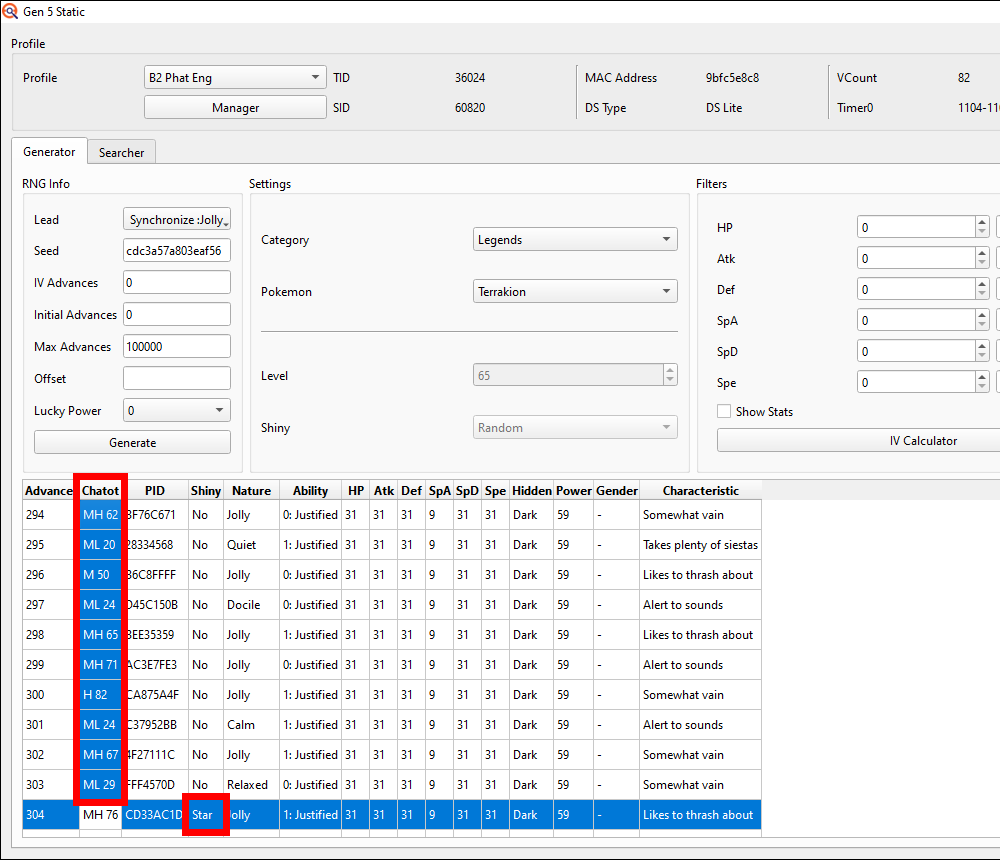
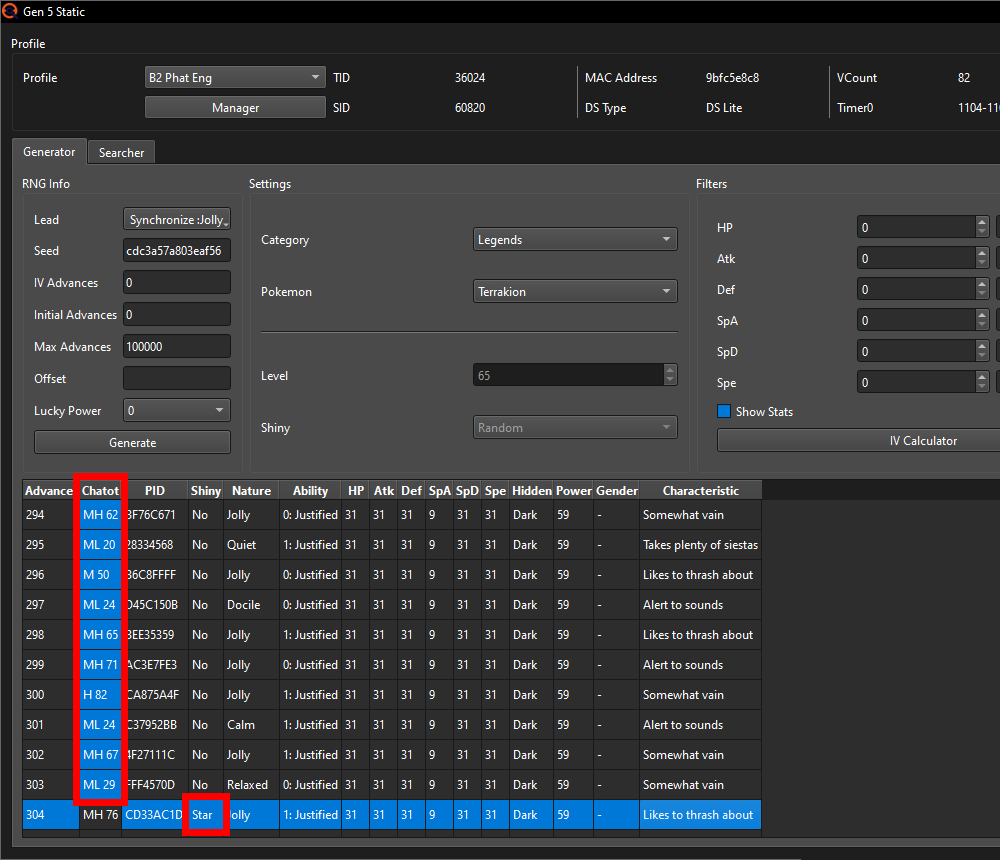
Now finally we get our shiny. Whilst still in the party menu, press X to close it and then immediately start spamming the A button (or hold ↑ for Zoroark / → for Lati@s) to start the battle with the Stationary / get given the Gift Pokémon. You can again take your time if there are no RMNPCs in the area.
If all went well, you will have the shiny Static of your dreams now (if your target was a Stationary you'll have to catch it first of course), in which case you can skip to "Next steps…".
If you do not have Chatot, you can use saving the game to advance the RNG. It will be significantly slower and is much more inconsistent if there are any RMNPCs nearby.
In the Generator tab of the Static window you can see the Chatot column. There you can track the Advance you're currently on by using the starting position of the Save Needle like you may have used during Profile calibration via the Save Needle or Unova Link method. Here is a table of what Chatter value in the Generator tab corresponds to which Save Needle starting position:
| Chatter pitch number | Save Needle starting position |
|---|---|
| 0-12 | ↑ |
| 13-24 | ↗ |
| 25-36 | → |
| 37-49 | ↘ |
| 50-61 | ↓ |
| 62-74 | ↙ |
| 75-86 | ← |
| 87-99 | ↖ |
The edge numbers between 2 adjacent Save Needle starting positions can also sometimes be the other one; probably due to some rounding the game does. So in some cases e.g. a 12 may be a ↗ or a 13 may be a ↑ despite it usually being the other way around.
If you're RNGing a Pokémon without any RMNPCs around, the first Save Needle
starting position you'll see if you hit your target Seed is the very first
one shown in the Generator tab. The exact Advance number you start at will
differ from Seed to Seed but is generally between ~35-55 in BW1 and ~40-60
in BW2.
If you're RNGing a Pokémon with RMNPCs around like I am doing with
Terrakion however, there will most likely be additional Advances happening
before you can open up the menu.
How many Advances that is exactly depends on both the RNG state and the
specific area you're in. For Terrakion, which has 1 RMNPC and a location
type of 1, there's about a 55% chance that this RMNPC will Advance the RNG
by 2 whilst I'm loading into the game and seeing the current season if I
spam A and after X optimally. The precise odds you don't really need to
know but instead just take this general rule of thumb:
1 RMNPC = ~2 Advances whilst loading in if you open the menu as fast as possible
2 RMNPCs = ~4 Advances
3 RMNPCs = ~6 Advances
5 RMNPCs = ~12 Advances
6 RMNPCs = ~14 Advances
8 RMNPCs = ~18 Advances
The higher the RMNPC number, the less stable this becomes. Whilst 2 RMNPCs for example have about a 33% chance of causing the most likely Advance number in 4, 6 RMNPCs only have about a 12% chance to hit their most likely Advance number in 14. So if your target has a higher RMNPC count, it'll be more difficult to figure out what RNG Advance exactly you're on after loading into the game.
You also need to be quick in between each save. After saving the game you're forced to close out of the menu and get back to the overworld for a short moment. If you're as fast as possible with opening up the menu again after (you first gotta press A to make the "saved the game" message go away and then click X to open the menu back up), that moment is only 1/30th of a second long (1 frame at 30fps), but realistically it'll be closer to 3-5 frames. So it is possible that the RMNPCs advance the RNG in between you saving the game twice making it much harder to track the current Advance and figure out whether you're even on your target Seed.
Back to the RNG; after 7 attempts of Save Needle patterns that looked nothing
like my target Seeds pattern, I got these as the first 10 Save Needles:
↑,
↓,
↙,
↗,
←,
↙,
←,
↓,
↖ and finally
←.
Comparing the Chatters on our target Seed with the Save Needle table, we can
see that the Needles match the Chatters from Advance 53 to Advance 63
perfectly, so I am now on target Seed.
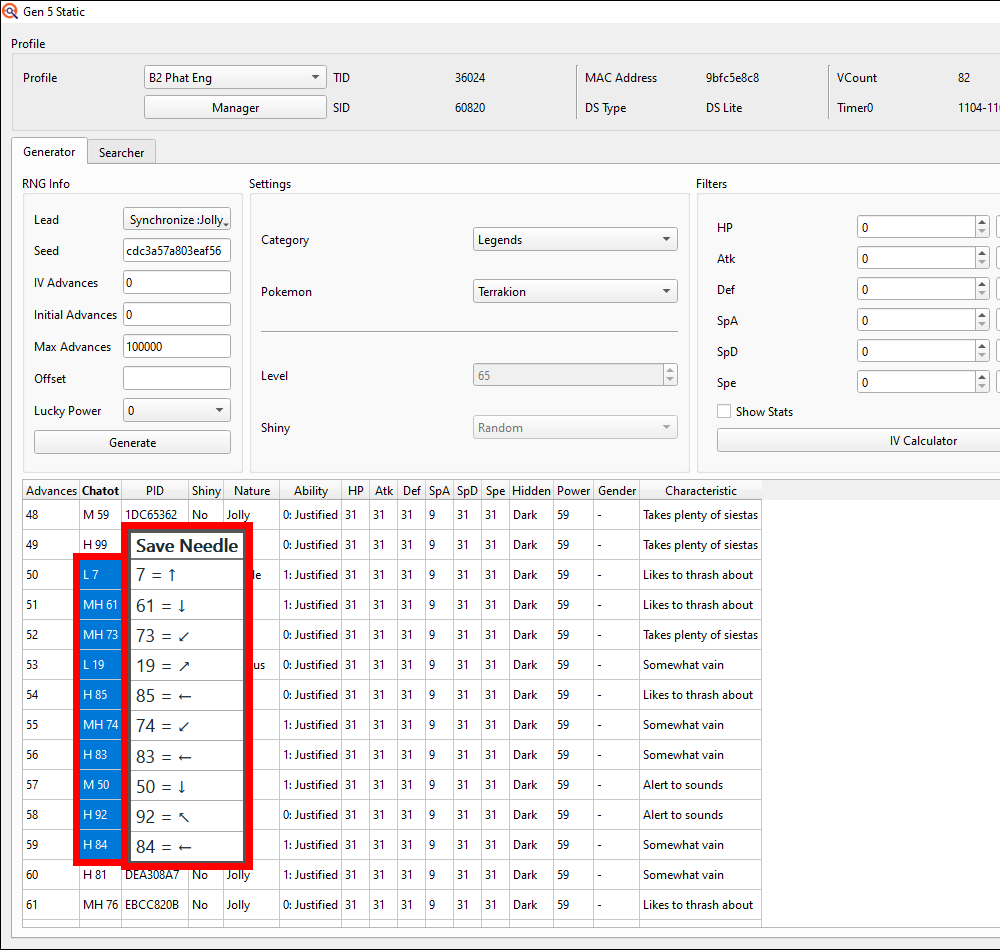
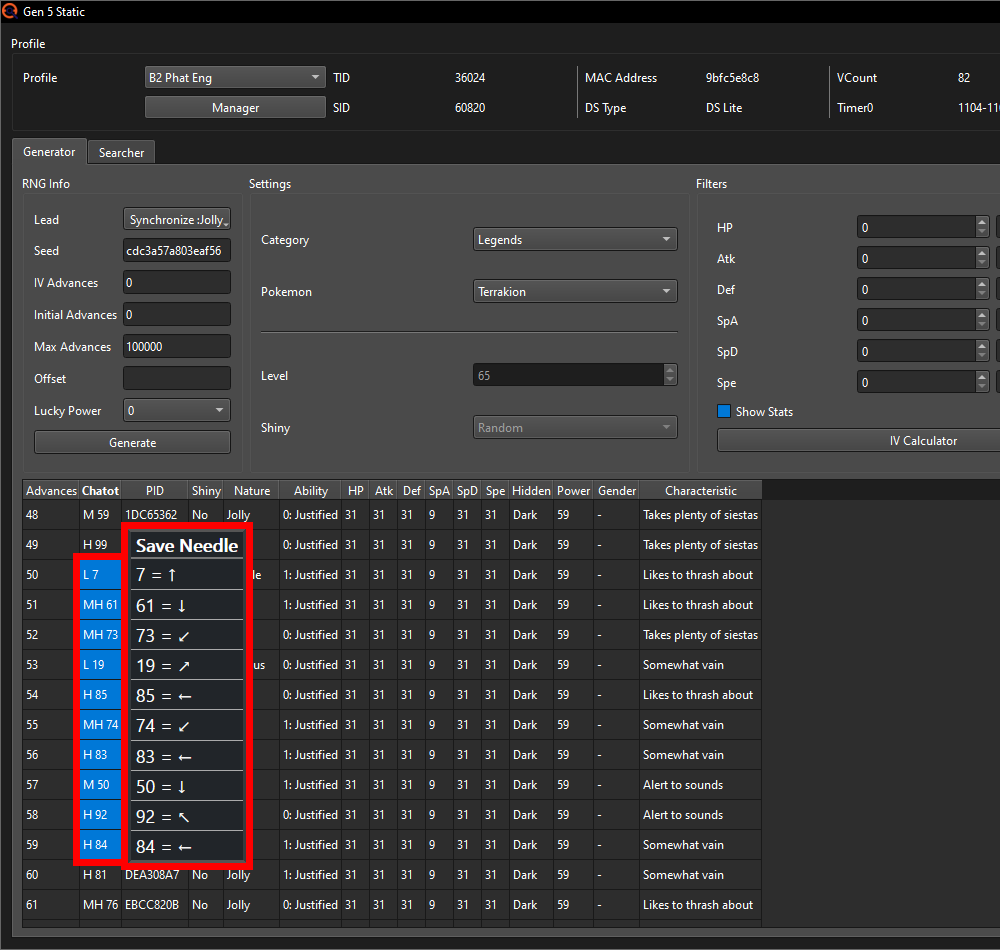
My predicted 2 Advances from the RMNPC when loading into the game were correct this time, making me start on Advance 50 instead of this Seeds starting Advance of 48. These predictions for areas with RMNPCs are not perfect however and starting on a later or earlier Advance was also very possible. This does give you a good idea about where to start looking for the Save Needle patterns though.
The MH 61 of Advance 51, MH 74 from Advance 55 and M 50 from Advance 57 could also each have been the other Needle adjacent to it ( ↙ for MH 61, ← for MH 74 and ↘ for M 50), so that's something to keep in mind when checking the Needles as well. For me they all matched the common case though.
With the Needle of Advance 59 being the last one I saw, I can start
advancing towards my target by saving the game repeatedly.
Keep advancing now following along with the Chatter pitches converted to
Save Needles using the table until you're exactly 1 Advance away from your
target. My target Seeds shiny is on Advance 304 so I stop on Advance 303
when I see my final MH 29 = →.
Now finally we get our shiny. Close the "saved the game" message and immediately start spamming the A button (or hold ↑ for Zoroark / → for Lati@s) to begin the battle with the Stationary / get given the Gift Pokémon. You can again take your time if there are no RMNPCs in the area.
If all went well, you will have the shiny Static of your dreams now (if your target was a Stationary you'll have to catch it first of course), in which case you can skip to "Next steps…".
If it did not shine, but you were absolutely certain that you tracked the RNG Advances correctly using Chatot/Save Needles, there is a chance the RMNPCs Advanced in between you closing the menu and starting the encounter /receiving the Pokémon. With perfect inputs, this is only a 1 frame window making the odds of it happening very low, though it is still possible. In that case you should just try again and odds are good that there'll be no extra Advances at the end next time.
Otherwise just try again 4 more times if you're on BW1 and 9 more times if you're on BW2. If even after those additional attempts you still did not get it, do not shut off your game yet (though you can put it into sleep mode) and continue on to the Troubleshooting section.
Troubleshooting
But what if after 5 attempts in BW1 or 10 attempts in BW2 you still have not gotten the shiny or, if you're going for shiny + IVs + Nature, you can never seem to hit your target Seed since the Chatter pitches you hear (/Save Needle starting positions you see) don't make any sense?
In that case we'll try to find whether you're just getting Timer0'd (aka the game just doesn't want to give you your target Timer0), the RMNPCs are messing you up if there's any present or whether there's something else going wrong. For this we'll use the IVs of the Pokémon you encountered on your last RNG attempt (if you quit the game already after your last attempt, do another one) and the Profile Calibrator.
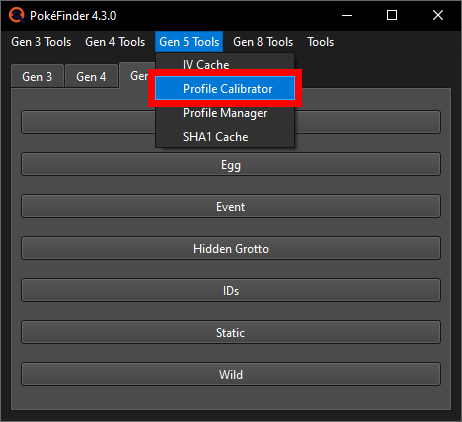
In the main window of PokeFinder go to Gen 5 Tools at the top and open up the Profile Calibrator.
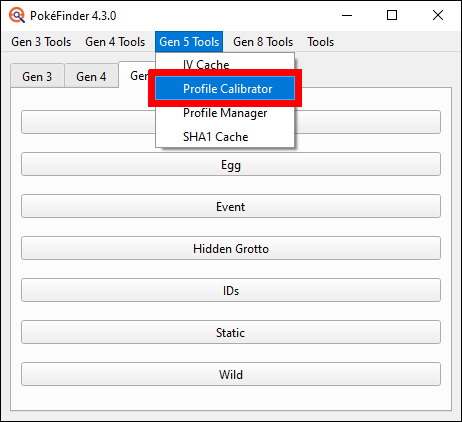
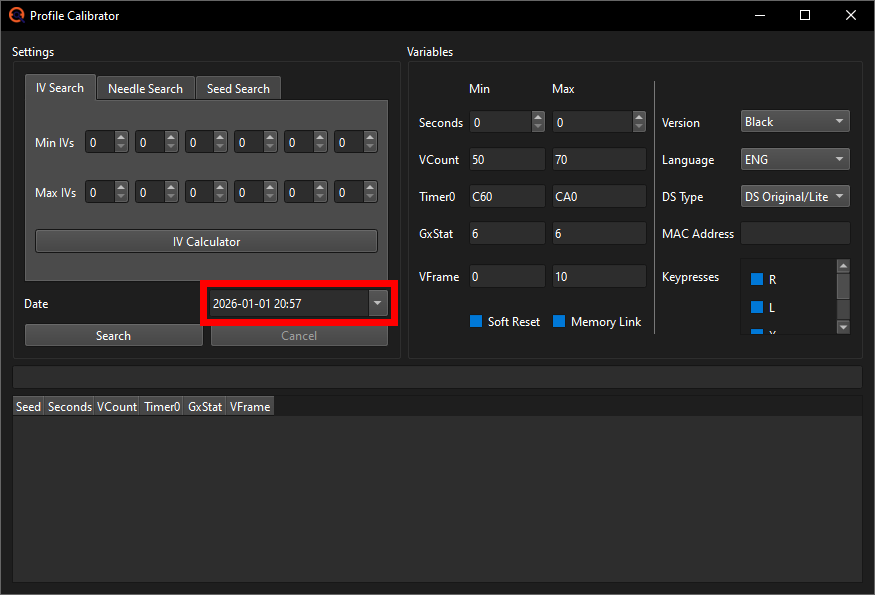
In the left half of the window, make sure the IV tab is selected and input the date and time of the target Seed you've been going for. In my case that's the 1st of January 2026 at 20:57.
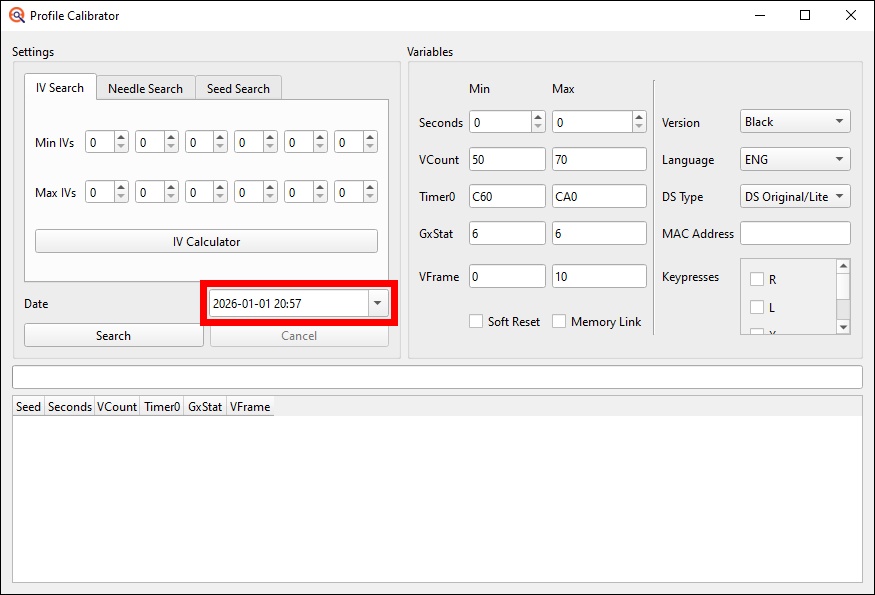
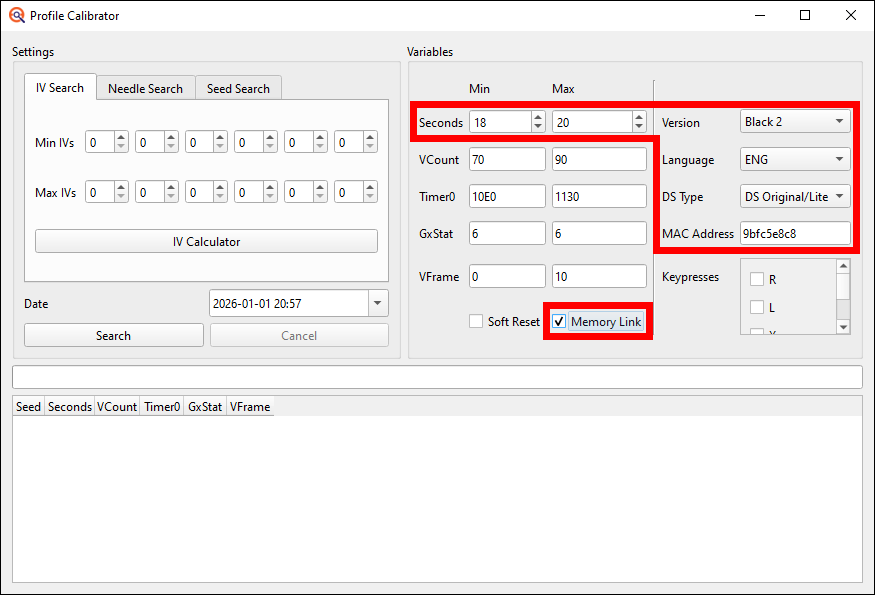
Then in the right half you start by selecting the game version,
language, console you play on and add your console's MAC
address which can be found in the internet settings of your console
(you can also just copy it from the Profile of the game you've been using).
Also check the Memory Link checkbox if you have activated Memory
Link on this current save file (BW2 exclusive feature; I did connect
a Black 1 with this Black 2 save file using Memory Link so I have to check
off the box).
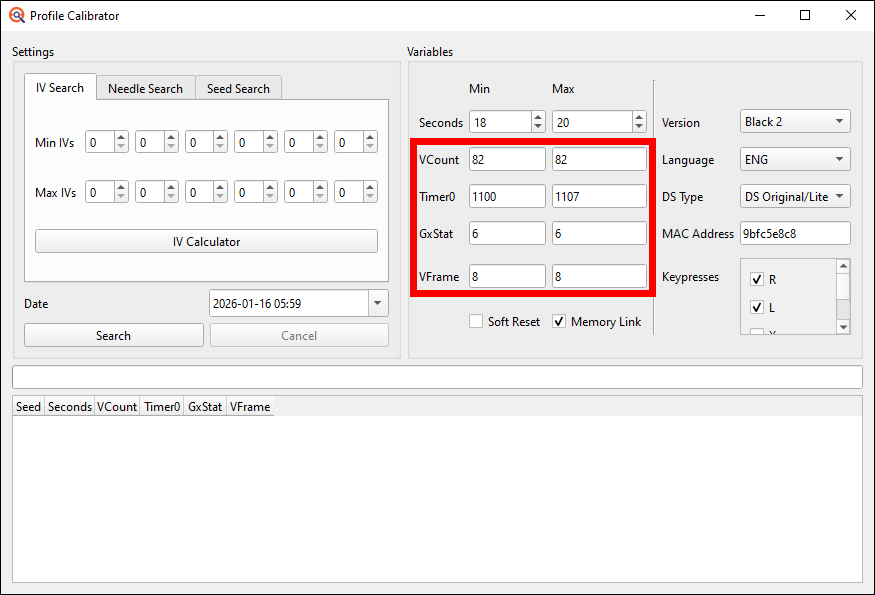
Put the seconds Min and Max to your EonTimer target seconds -1 and
+1 if you're on DS or DS Lite and to -3 and +3 if you're on DSi or 3DS.
My target second is 19 and I'm doing this RNG on a DS so I'm gonna put
the Min Second to 19-1=18 and the Max Second to 19+1=20.
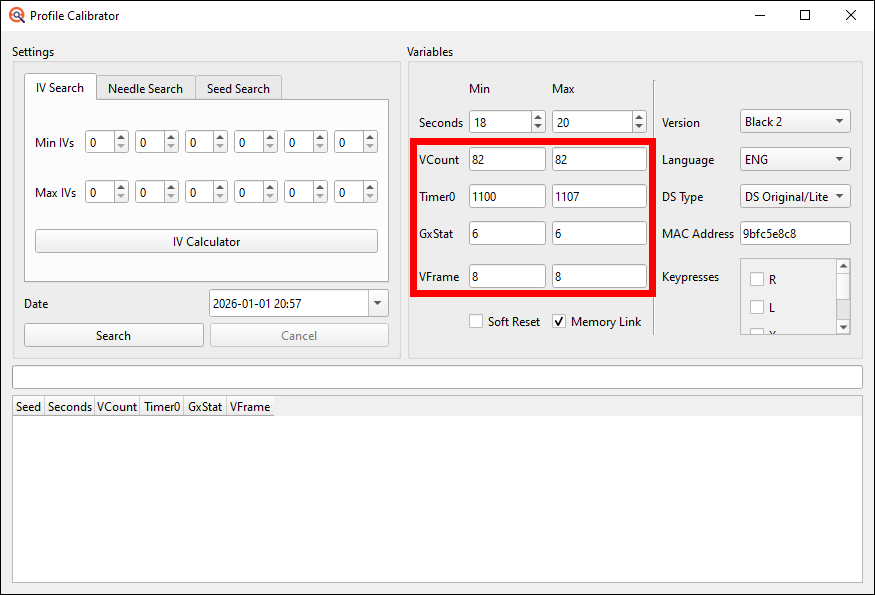
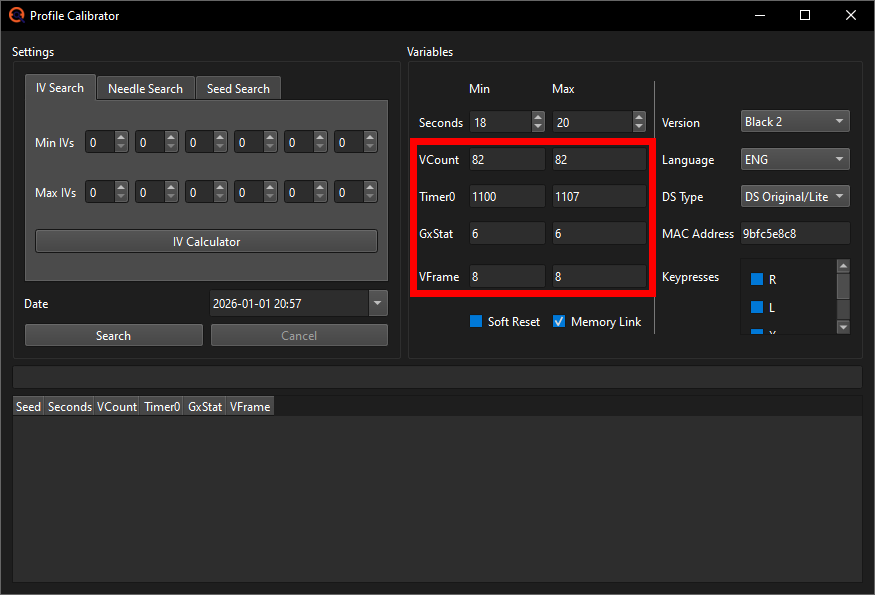
Finally we need to change the VCount, Timer0 and VFrame ranges. You will take those in part from your current games Profile. Put both the Min and the Max VCount and the Min and Max VFrame to be the ones you have in your Profile. In my case that's 82 for the VCount and 8 for the VFrame (if you're one of the rare cases that can have more than 1 VCount like having both AC and AD, put the lower of the two like AC as the Min and the higher of the two like AD as the Max VCount).
For the Timer0 it's a bit different between BW1 and BW2.
In BW1 you just put it to the two Timer0's you got during calibration. If you only got 1 Timer0 (e.g. C70), put the Min Timer0 to that one -1 and the Max Timer0 to that one +1 (e.g. Min C6F and Max C71).
In BW2 you should put it to the full range of Timer0's you got during Profile calibration -1 and +1. I got all the Timer0s from 1101 to 1106 during my calibration so now I'll calculate -1 and +1 to get 1100 and 1107 and put those as my Min and Max Timer0 into the Profile Calibrator. If you did not write down the full Timer0 range you got, shame on you lol, but that's not the end of the world. You can instead just use the following input field to calculate your most common Timer0 -A and +A. You can use the following input field to calculate this new Profiles Min and Max Timer0 based on your most common Timer0, if you don't know your full range.
00This will give you a larger Timer0 range than you can actually hit, thus making you get more invalid results than otherwise, but it's still going to be very helpful in determining what you hit. Just not quite as efficient as knowing your actual Timer0 range would be. If I didn't know my full range already, I'd just input 1106 for example, as that is my most common Timer0, and this calculator would return me 10FC as the Min and 1110 as the Max. But I do know, so I can just put my range to 1100-1107.
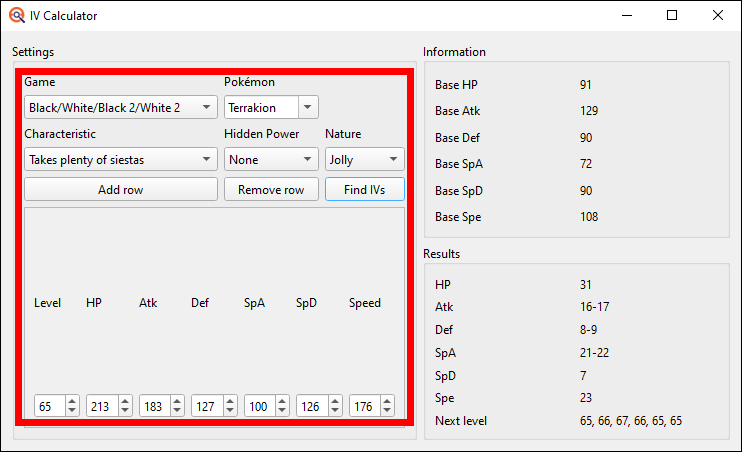
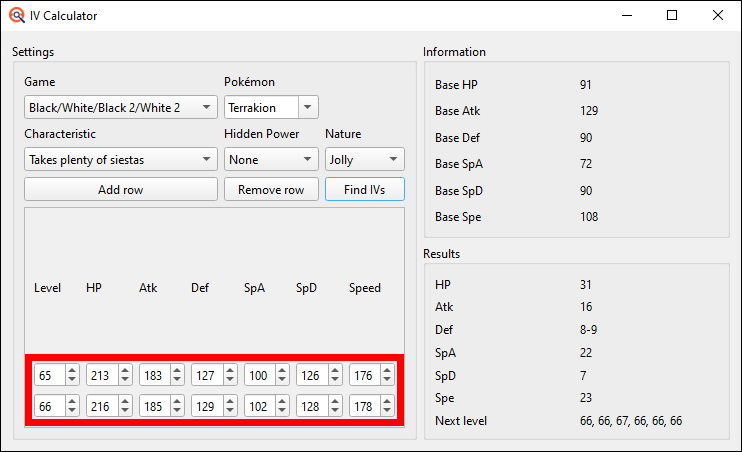
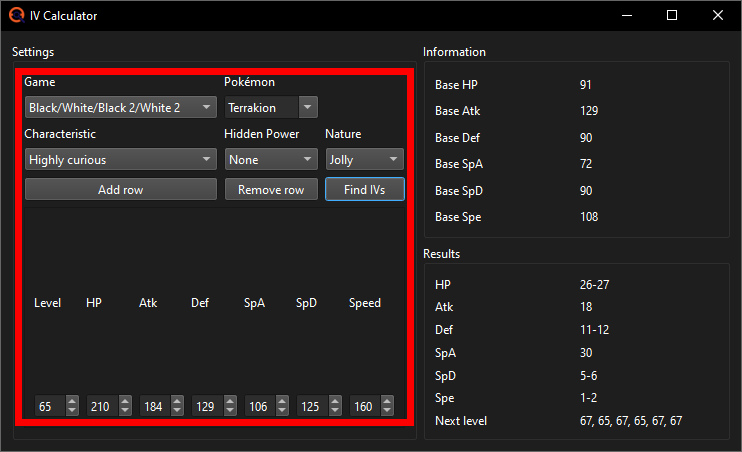
Open up the IV Calculator in the Profile Calibrator and select the Generation
5 games. Then input the target Pokémon's species, its Nature, characteristic,
level, stats and press the Find IVs button. You can ignore the Hidden Power
for now.
Note: The Characteristics of your Pokémon are not in PokeFinder?
For English language games, the names of 2 of the Characteristics were
changed in Gen 6. Currently PokeFinder only uses the Gen 6+ names for
these, even for older generations. Other languages may have a similar
issue, but I am not aware of any table that tracks every language's
Characteristics change, so if you're RNGing on a non-English game, you
may have to figure this out by yourself using a Pokémon wiki site of
that language for example.

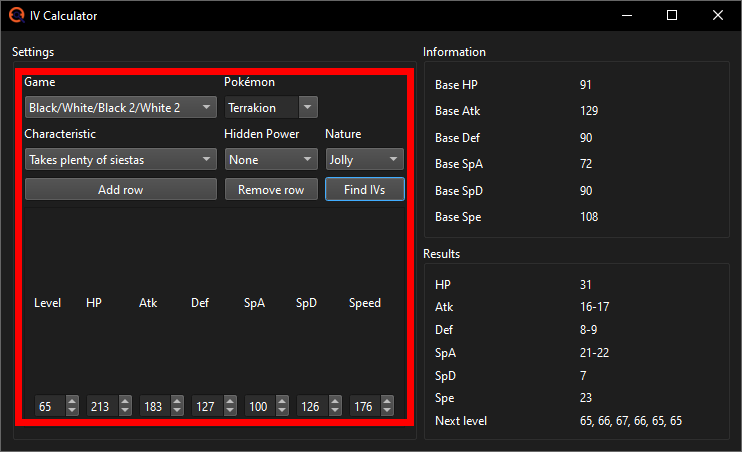
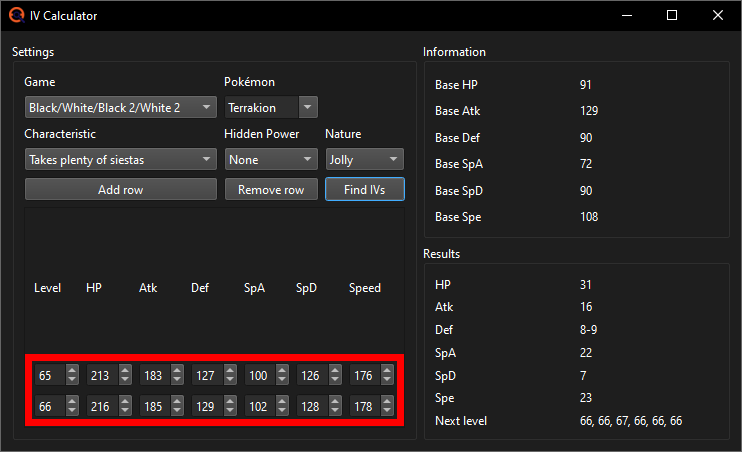
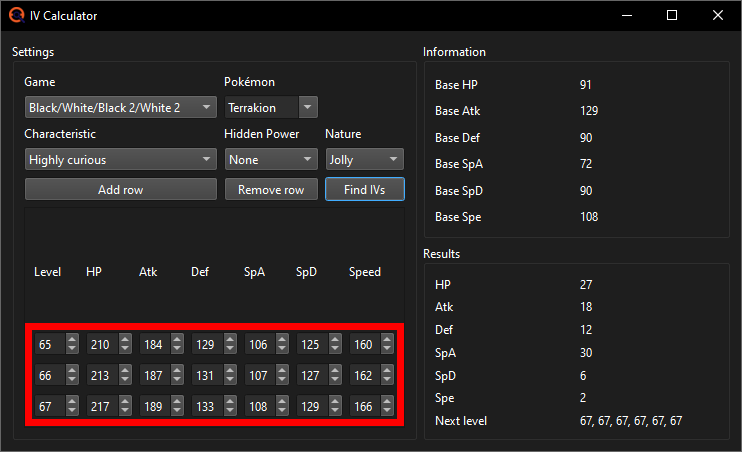
This is the Terrakion I last got and the IV Calculator results:
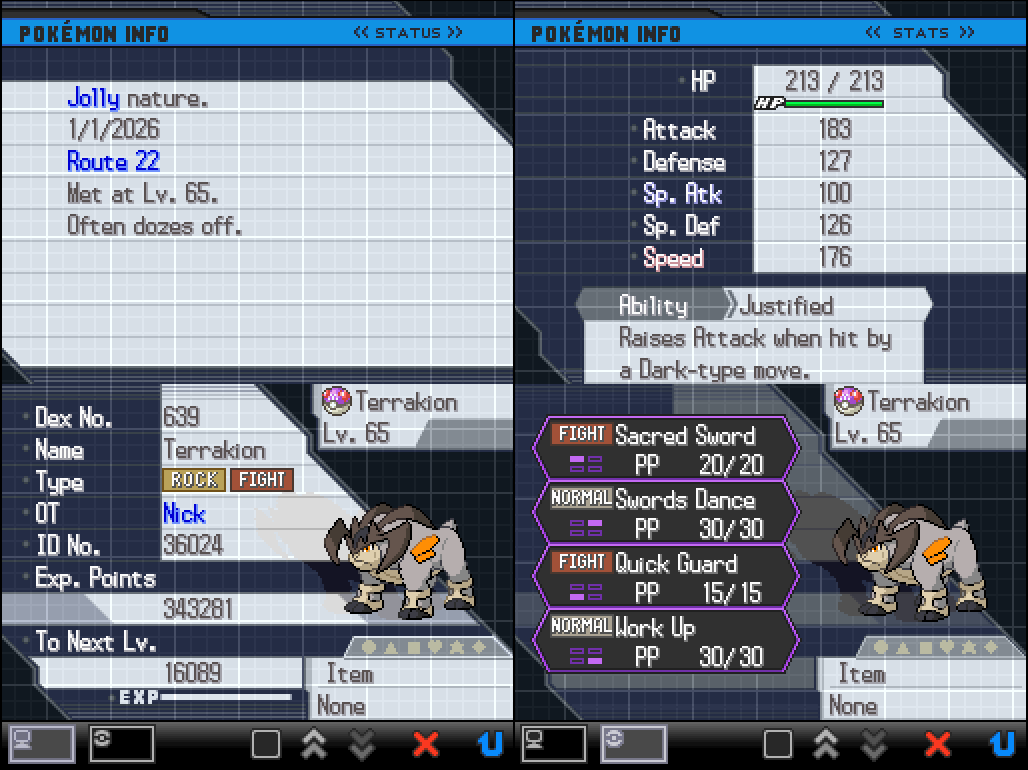
Switch back over to the Profile Calibrator. The calculated IV ranges should automatically have been transferred to it. Press Search and see what result(s) it gets you.
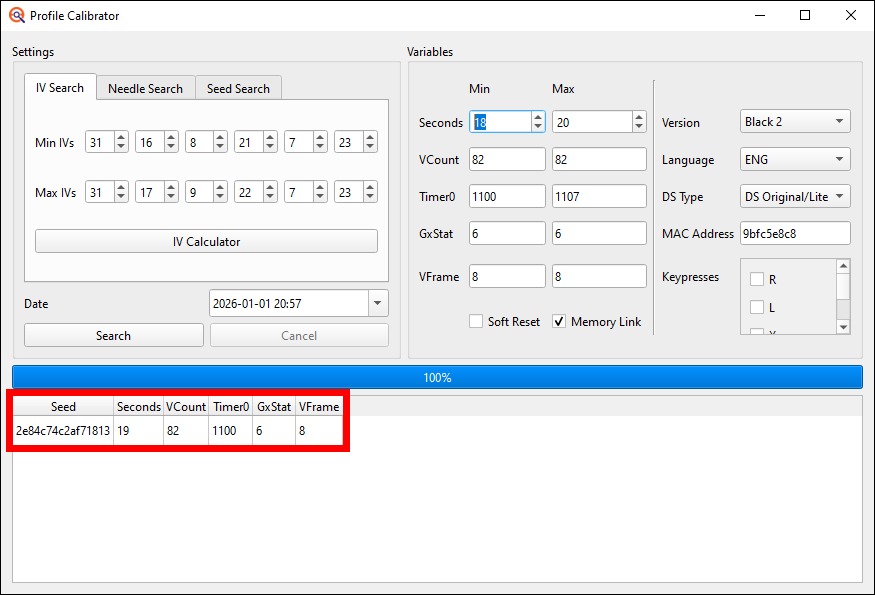
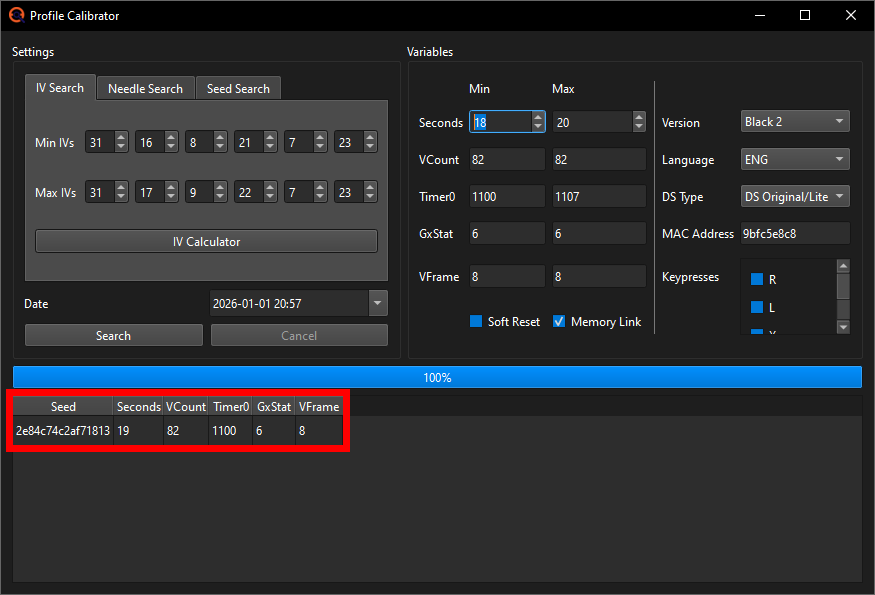
There are 3 options for what happens here; choose the tab fitting your situation:
- You got exactly 1 result
- You got 2 or more results
- You got no results
This means that it is most certainly what you actually hit.
If both the second you hit matches your target Seeds target second and the Timer0 you hit matches your target Timer0, you hit your target Seed. The calculated IV ranges should fit the IVs of that target Seed as well. If they do not, you likely made an error in the "Finding a target Seed" section.
Should there be no RMNPCs near your target in this case, you also likely made an error in the "Finding your target Seed" section and should go back to that.
If however there is at least 1 RMNPC nearby, it's the RMNPC that made you miss your target. The RNG Advance you hit when there's an RMNPC nearby is dependant both on the RNG Advances themselves and the last saved position of the RMNPCs. The RNG Advances we cannot change, as they're fixed on your target Seed, but the last saved position we sure can influence. We will reposition the RMNPCs by loading into the game normally (you can just e.g. soft reset from your last RNG attempt), standing idly in the overworld for 5-10 seconds and then saving the game. With a different saved position the RMNPCs will advance the RNG differently than last time and hopefully in just the right way so you can get your shiny. You may need to reposition the RMNPCs several times before you can get your shiny depending on your luck. The more RMNPCs are near your target, the more often you'll have to do this on average as well. Generally I'd recommend to only reposition them whenever you did actually hit your target Timer0, not when you hit some other Timer0.
If the second you hit is equal to your target second, but the Timer0 is different, you have simply been getting Timer0'd. In this case just try again and if it's not shiny again, check what you hit using the Profile Calibrator. If after 10+ attempts in BW1 or 20+ attempts in BW2 you still only hit Timer0's that are different from your target Timer0, it may be best to switch to a different target Seed in the hopes of that one being less unlucky and getting you your target Timer0 faster.
If the second you hit is different than your target second, regardless of whether the Timer0 matches your target or not, do another attempt and see if it's off again. If it's off both times, you should calibrate your EonTimer by putting the second you hit (not your target) into the second hit field at the bottom and pressing the Update button once. This will adjust your Calibration value to make it so next time you will hit your target second. If you're on DSi or especially on 3DS, the seconds you hit tend to be inconsistent, so it may be better to do 3-4 more attempts before adjusting EonTimer to figure out what second you hit most of the time and only then updating the timer.
One of those is most certainly what you actually hit.
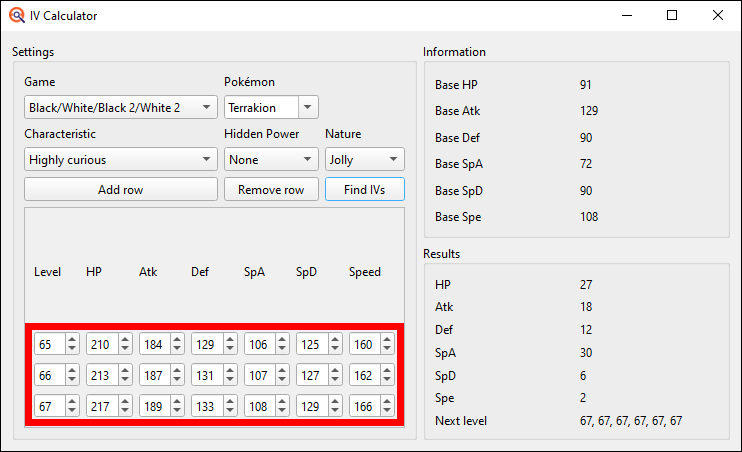
To find out which it is exactly, you should level up the Pokémon you got, input the next level and its stats into the IV Calculator and press Find IVs again. It is highly recommended you use Rare Candies for this, as if you level up the Pokémon via battles, it will gain EVs which will throw off the IV Calculators results. In that case you'd have to keep track of the exact EVs you gain and use an IV Calculator that can keep track of EVs as well (e.g. MetalKids IV Calculator website). Finding out the Hidden Power type may also be useful for narrowing down the IVs further if needed, but if you have a few Rare Candies it'll be significantly faster to just use those. You can find the Hidden Power Judge in Mistralton City's Pokémon Center in BW1 or at the PWT in BW2. Once narrowed down to 1 result, switch to the "1 result" tab.
This means that there's something going wrong.
Double check all the date and time settings of your DS and PokeFinder match exactly, make sure you were using the correct Profile, that there's not a typo in your MAC address and check if you have selected the correct game version and language. If you spotted an error correct it and try again, but even if you did not spot anything, still try one more time.
If after all this you still cannot seem to find anything, join im a blisy ._.'s RNG manip assistance Discord server and ask for help in the bw_b2w2 channel providing an explanation of the issue and full window screenshots of your PokéFinder Calibration window and EonTimer.
In my case I just got Timer0'd as the second I hit is equal to my target second, but the Timer0 is different. I will just continue on until I hit my target Seed now.
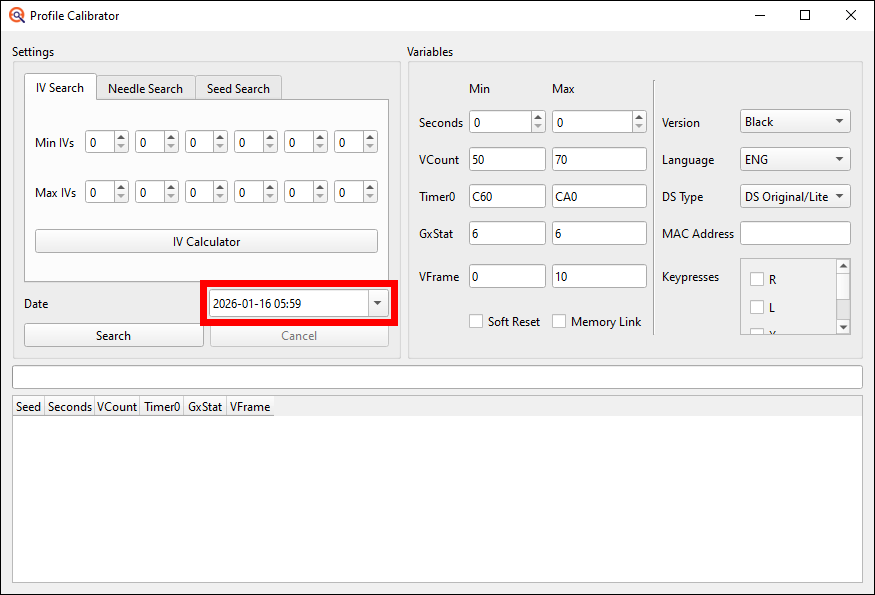
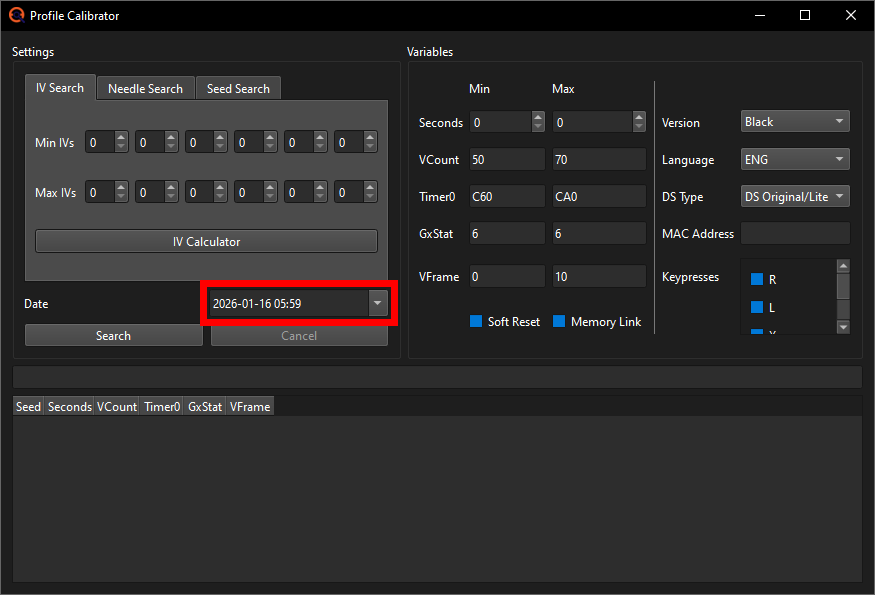
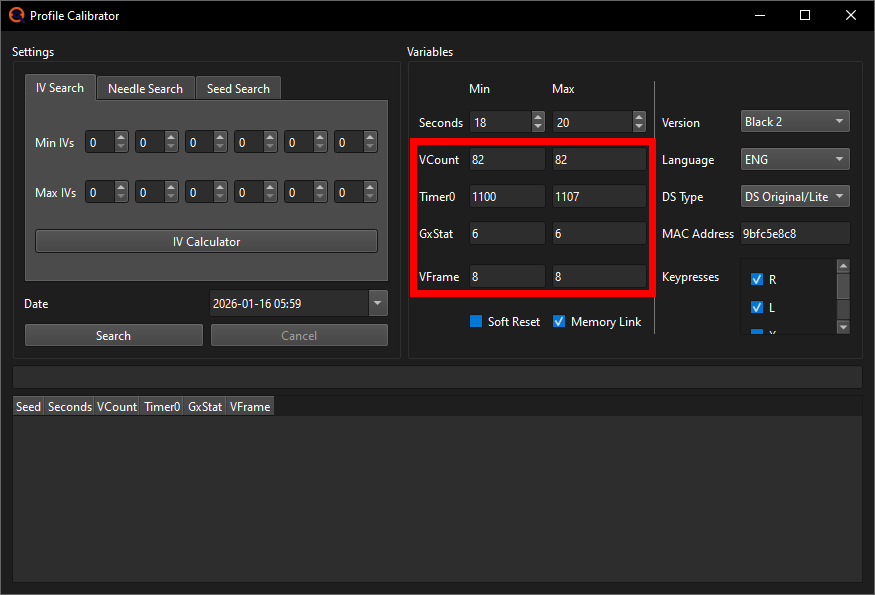
In the left half of the window, make sure the IV tab is selected and input the date and time of the target Seed you've been going for. In my case that's the 16th of January 2026 at 05:59.
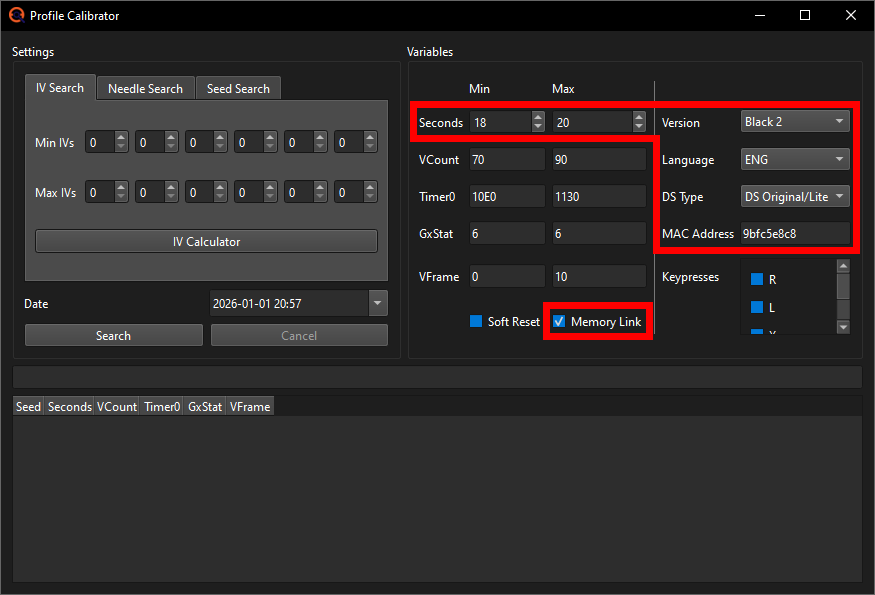
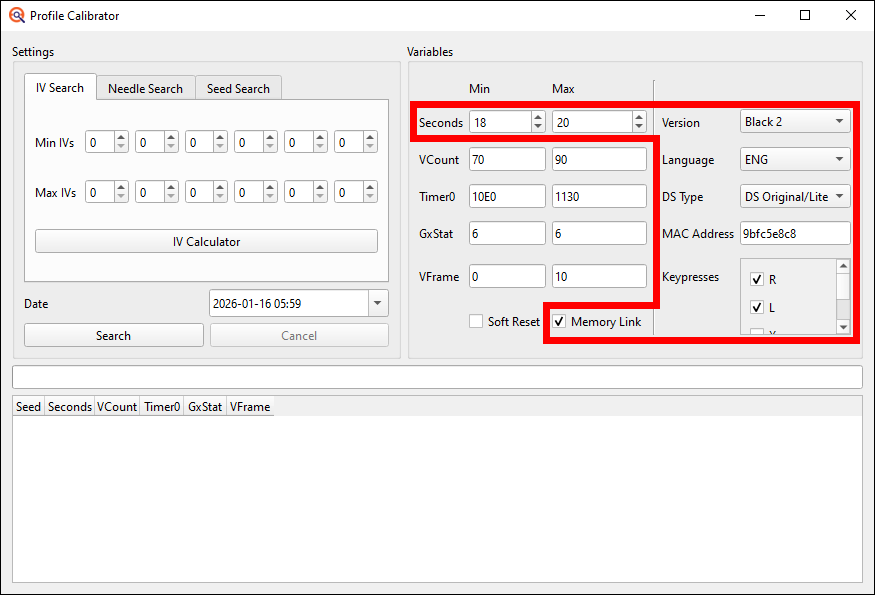
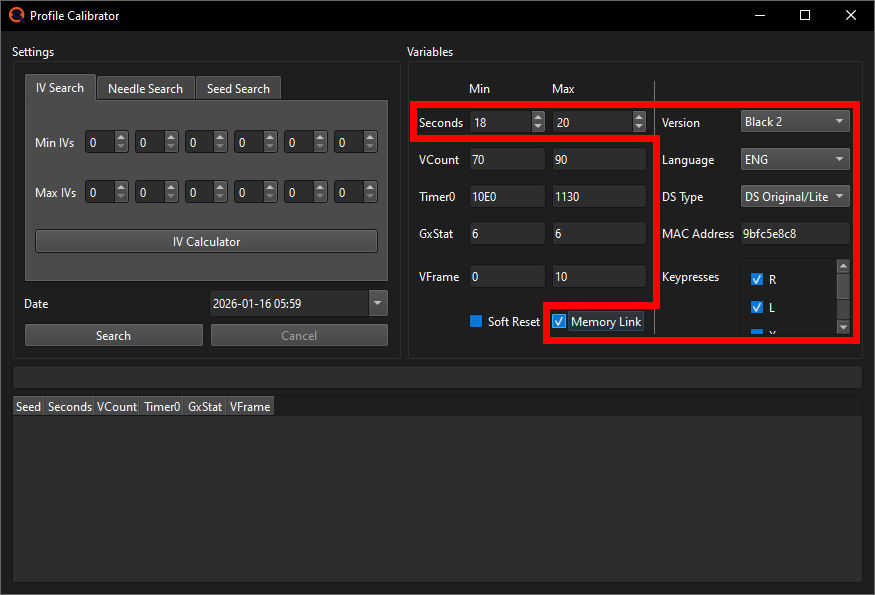
Then in the right half you start by selecting the game version,
language, console you play on and add your console's MAC
address which can be found in the internet settings of your console
(you can also just copy it from the Profile of the game you've been using).
Also check the Memory Link checkbox if you have activated Memory
Link on this current save file (BW2 exclusive feature; I did connect
a Black 1 with this Black 2 save file using Memory Link so I have to check
off the box). Also make sure to check off any Keypresses you did. I had to
press and hold Up, L and R so I'll check off those 3 Keypresses.
Put the seconds Min and Max to your EonTimer target seconds -1 and
+1 if you're on DS or DS Lite and to -3 and +3 if you're on DSi or 3DS.
My target second is 19 and I'm doing this RNG on a DS so I'm gonna put
the Min Second to 19-1=18 and the Max Second to 19+1=20.
Finally we need to change the VCount, Timer0 and VFrame ranges. You will take those in part from your current games Profile. Put both the Min and the Max VCount and the Min and Max VFrame to be the ones you have in your Profile. In my case that's 82 for the VCount and 8 for the VFrame (if you're one of the rare cases that can have more than 1 VCount like having both AC and AD, put the lower of the two like AC as the Min and the higher of the two like AD as the Max VCount).
For the Timer0 it's a bit different between BW1 and BW2.
In BW1 you just put it to the two Timer0's you got during calibration. If you only got 1 Timer0 (e.g. C70), put the Min Timer0 to that one -1 and the Max Timer0 to that one +1 (e.g. Min C6F and Max C71).
In BW2 you should put it to the full range of Timer0's you got during Profile calibration -1 and +1. I got all the Timer0s from 1101 to 1106 during my calibration so now I'll calculate -1 and +1 to get 1100 and 1107 and put those as my Min and Max Timer0 into the Profile Calibrator. If you did not write down the full Timer0 range you got, shame on you lol, but that's not the end of the world. You can instead just use the following input field to calculate your most common Timer0 -A and +A. You can use the following input field to calculate this new Profiles Min and Max Timer0 based on your most common Timer0, if you don't know your full range.
00This will give you a larger Timer0 range than you can actually hit, thus making you get more invalid results than otherwise, but it's still going to be very helpful in determining what you hit. Just not quite as efficient as knowing your actual Timer0 range would be. If I didn't know my full range already, I'd just input 1106 for example, as that is my most common Timer0, and this calculator would return me 10FC as the Min and 1110 as the Max. But I do know, so I can just put my range to 1100-1107.
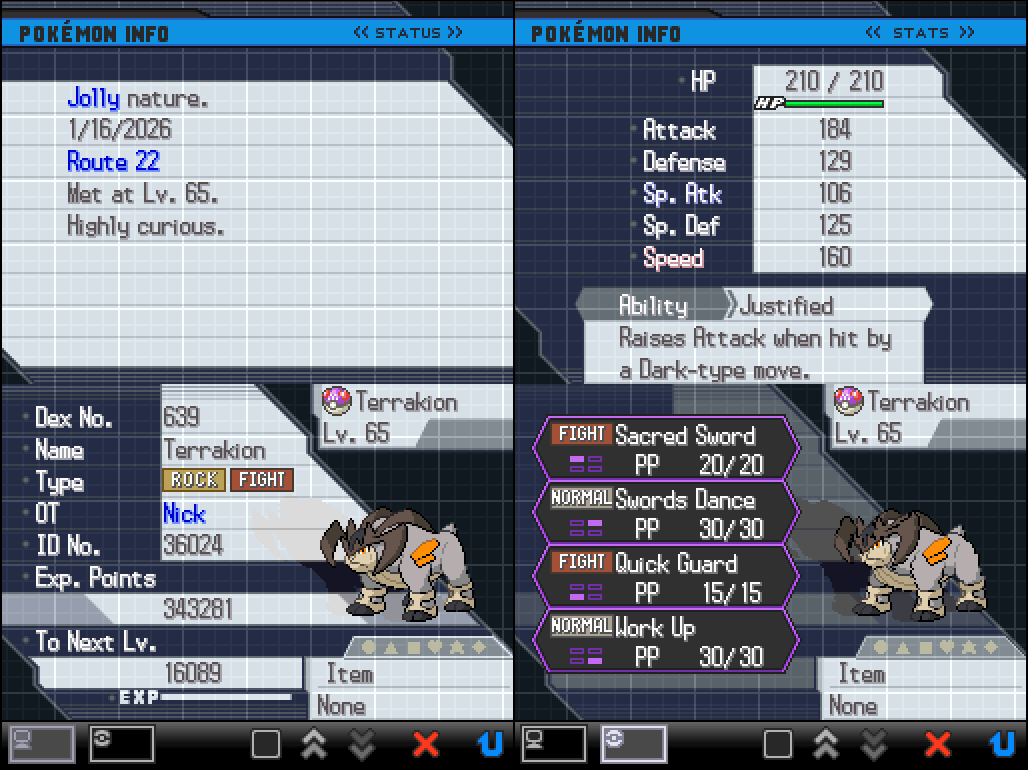
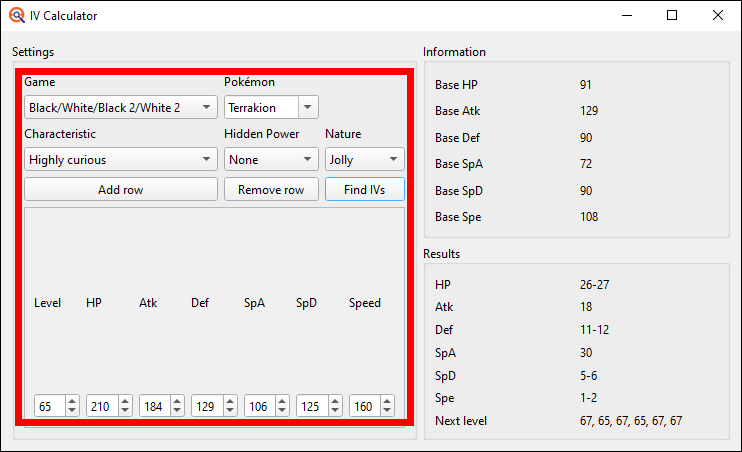
Open up the IV Calculator in the Profile Calibrator and select the Generation
5 games. Then input the target Pokémon's species, its Nature, characteristic,
level, stats and press the Find IVs button. You can ignore the Hidden Power
for now.
Note: The Characteristics of your Pokémon are not in PokeFinder?
For English language games, the names of 2 of the Characteristics were
changed in Gen 6. Currently PokeFinder only uses the Gen 6+ names for
these, even for older generations. Other languages may have a similar
issue, but I am not aware of any table that tracks every language's
Characteristics change, so if you're RNGing on a non-English game, you
may have to figure this out by yourself using a Pokémon wiki site of
that language for example.
This is the Terrakion I last got and the IV Calculator results:
Switch back over to the Profile Calibrator. The calculated IV ranges should automatically have been transferred to it. Press Search and see what result(s) it gets you.
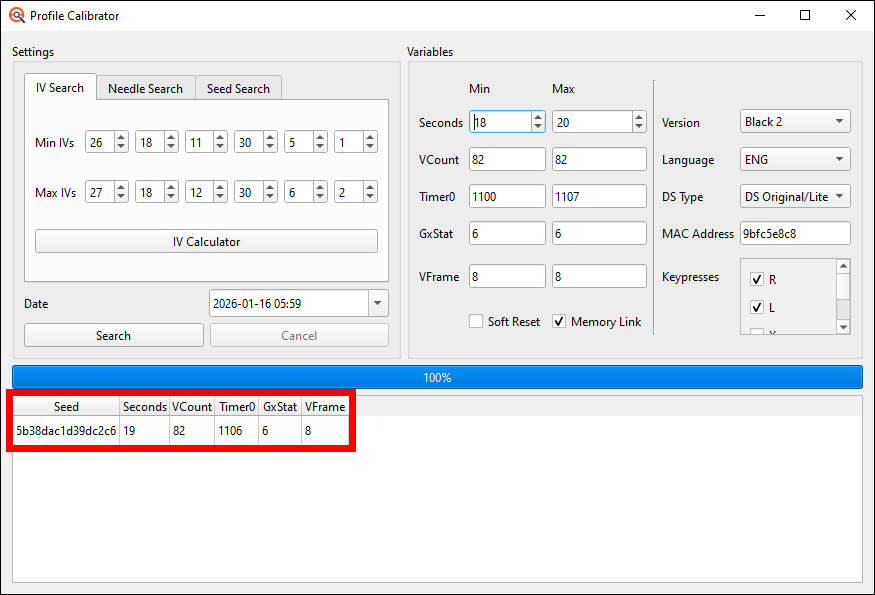
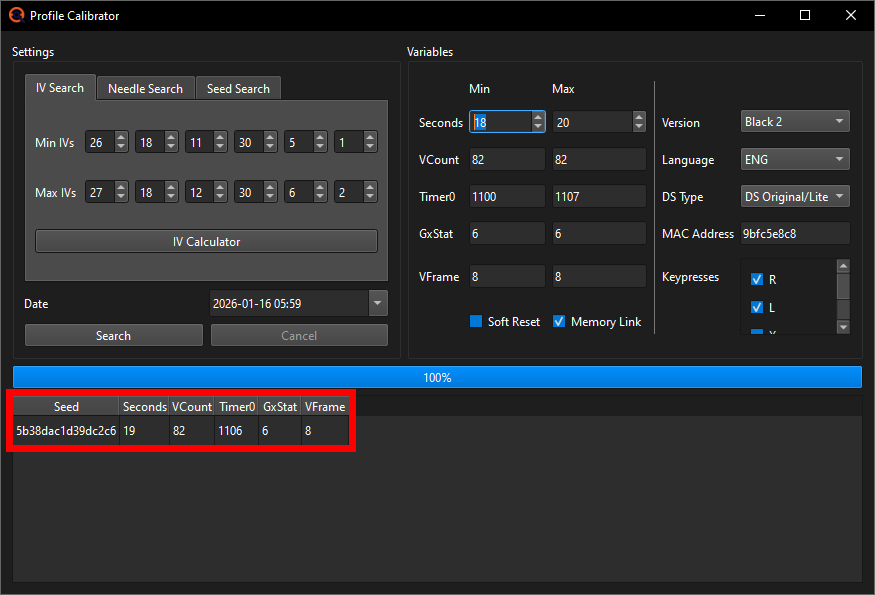
There are 3 options for what happens here; choose the tab fitting your situation:
- You got exactly 1 result
- You got 2 or more results
- You got no results
This means that it is most certainly what you actually hit.
If both the second you hit matches your target Seeds target second and the Timer0 you hit matches your target Timer0, you hit your target Seed. The calculated IV ranges should fit the IVs of that target Seed as well. If they do not, you likely made an error in the "Finding a target Seed" section and should go back to that for accurate results.
Should there be no RMNPCs near your target, but you were unable to identify the Chatter pattern, perhaps try recording a clearer Chatter sound to make it easier to differentiate between high and low pitches. Also next attempt you can try to record the Chatters with your phone so you can play them back and practice. If you used saving to advance the RNG instead, but you were unable to find where in the RNG you are, check the Chatter pitch to Save Needle table again.
If however there is at least 1 RMNPC nearby, try again and either record the Chatters so you can play them back again and again to compare with the Seeds Advances, or instead of trying to do any Chatot, immediately encounter /get the Pokémon next time and try to deduce what Advance you start on using its Nature, Characteristic and (if applicable) Gender.
If the second you hit is equal to your target second, but the Timer0 is different, you have simply been getting Timer0'd. In this case just try again and if it's not shiny again, check what you hit using the Profile Calibrator. If after 10+ attempts in BW1 or 20+ attempts in BW2 you still only hit Timer0's that are different from your target Timer0, it may be best to switch to a different target Seed in the hopes of that one being less unlucky and getting you your target Timer0 faster.
If the second you hit is different than your target second, regardless of whether the Timer0 matches your target or not, do another attempt and see if it's off again. If it's off both times, you should calibrate your EonTimer by putting the second you hit (not your target) into the second hit field at the bottom and pressing the Update button once. This will adjust your Calibration value to make it so next time you will hit your target second. If you're on DSi or especially on 3DS, the seconds you hit tend to be inconsistent, so it may be better to do 3-4 more attempts before adjusting EonTimer to figure out what second you hit most of the time and only then updating the timer.
One of those is most certainly what you actually hit.
To find out which it is exactly, you should level up the Pokémon you got, input the next level and its stats into the IV Calculator and press Find IVs again. It is highly recommended you use Rare Candies for this, as if you level up the Pokémon via battles, it will gain EVs which will throw off the IV Calculators results. In that case you'd have to keep track of the exact EVs you gain and use an IV Calculator that can keep track of EVs as well (e.g. MetalKids IV Calculator website). Finding out the Hidden Power type may also be useful for narrowing down the IVs further if needed, but if you have a few Rare Candies it'll be significantly faster to just use those. You can find the Hidden Power Judge in Mistralton City's Pokémon Center in BW1 or at the PWT in BW2. Once narrowed down to 1 result, switch to the "1 result" tab.
This means that there's something going wrong.
Double check all the date and time settings of your DS and PokeFinder match exactly, make sure you were using the correct Profile, that there's not a typo in your MAC address and check if you have selected the correct game version and language. If you spotted an error correct it and try again, but even if you did not spot anything, still try one more time.
If after all this you still cannot seem to find anything, join im a blisy ._.'s RNG manip assistance Discord server and ask for help in the bw_b2w2 channel providing an explanation of the issue and full window screenshots of your PokéFinder Calibration window and EonTimer.
In my case I just got Timer0'd as the second I hit is equal to my target second, but the Timer0 is different. I will just continue on doing RNG attempts until I hit my target Seed now.
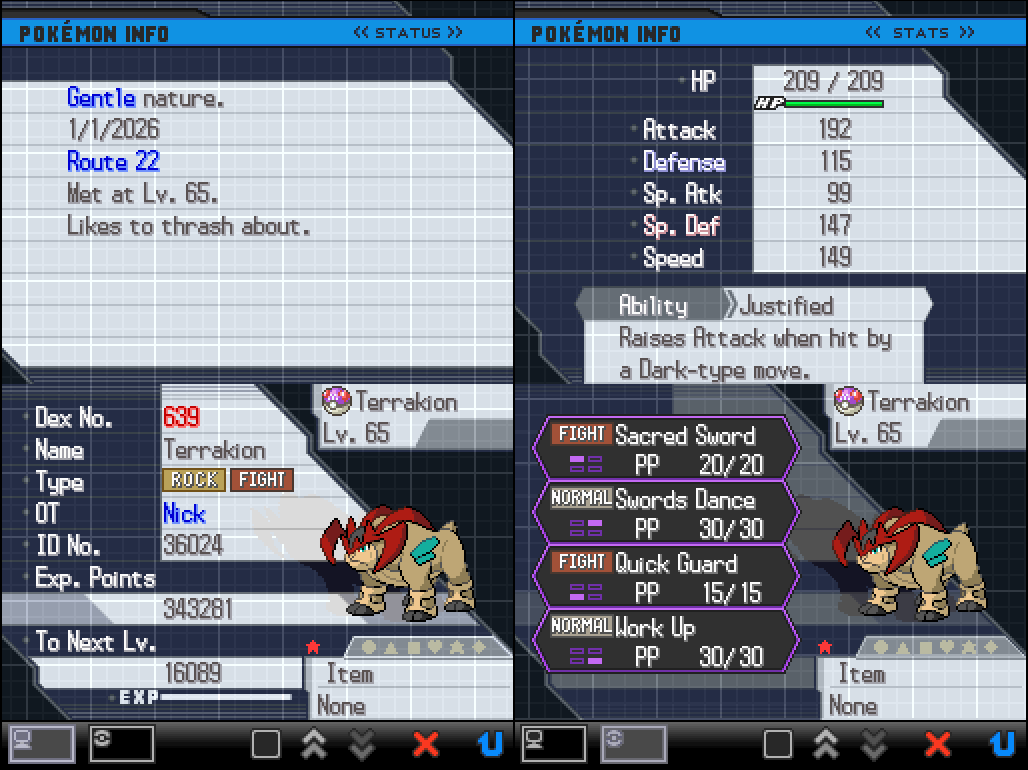
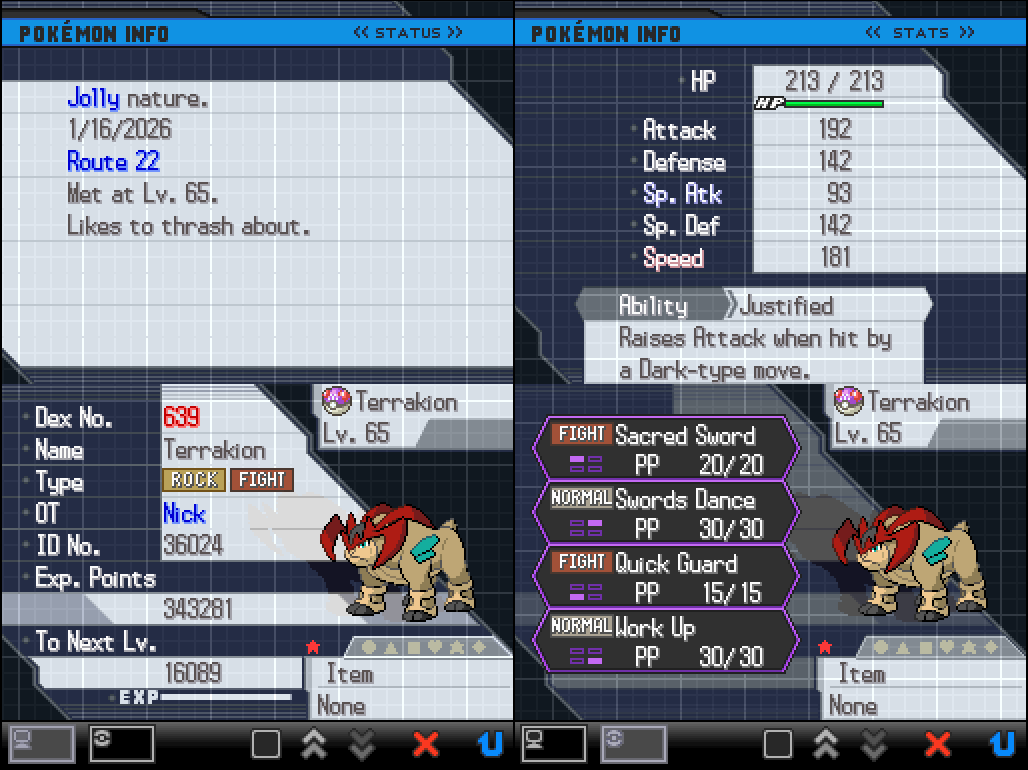
I got my shiny Terrakion after 8 attempts! If you're on BW1 it's likely to take less and if you're on BW2 like I was, it may very well take more attempts to get; due to the Timer0's there's unfortunately still always luck involved for Gen 5 RNG.
Next steps...
And with the Static successfully RNGd, we can now save the game. And that's it; you can now RNG Manipulate for any Static encounter (outside of the Roamers) in these games.
More guides are in the works but until then thank you for reading and have fun RNGing!
Get the Pokemon you wanted? Consider supporting us on Ko-fi & keep us ad free!